.svg)
.svg)


What Should Businesses Know Before Integrating AI Into Existing Applications?
Key Takeaways
- AI integration means connecting AI capabilities, usually a large language model reached through an API, to the software, data and workflows you already run. Most SMEs don't need to build their own model.
- 44% of Australian SMEs reported some level of AI adoption in February 2026, according to the National AI Centre. Trust, not cost, is the biggest barrier for those holding back.
- Data is where projects fall over. Gartner predicts organisations will abandon 60% of AI projects that lack AI-ready data through 2026.
- Before any code is written, check four things: codebase compatibility, data access, the right integration approach, and your privacy obligations (including new automated decision-making rules from 10 December 2026).
- Start with one narrow, measurable use case. Keep a human checking outputs until the numbers prove it works.
Most of the AI conversations we have with founders start in the same place. A competitor has launched a smart assistant, or an investor has asked about the AI roadmap, and suddenly there's pressure to bolt something on by next quarter.
The pressure is understandable, although it's also how perfectly good businesses end up paying for features their customers never touch.
Australian SMEs are moving, but carefully. The National AI Centre's SME AI Pulse found that 44% of SMEs reported some level of AI adoption in February 2026, the strongest result in several months. Look a little closer and there's a more telling detail: among businesses already using AI, broad adoption across several parts of the business hit a seven-month high while one-off experiments faded, which suggests companies that commit tend to keep going.
So, for most startups and SMEs, the question is no longer whether AI belongs in the product. It's how to add it without breaking the app that already pays the bills, and the sections below walk through the technical, data, cost and compliance issues worth sorting out before your team writes a single line of AI code.
What Does AI Integration Mean for an Existing Application?
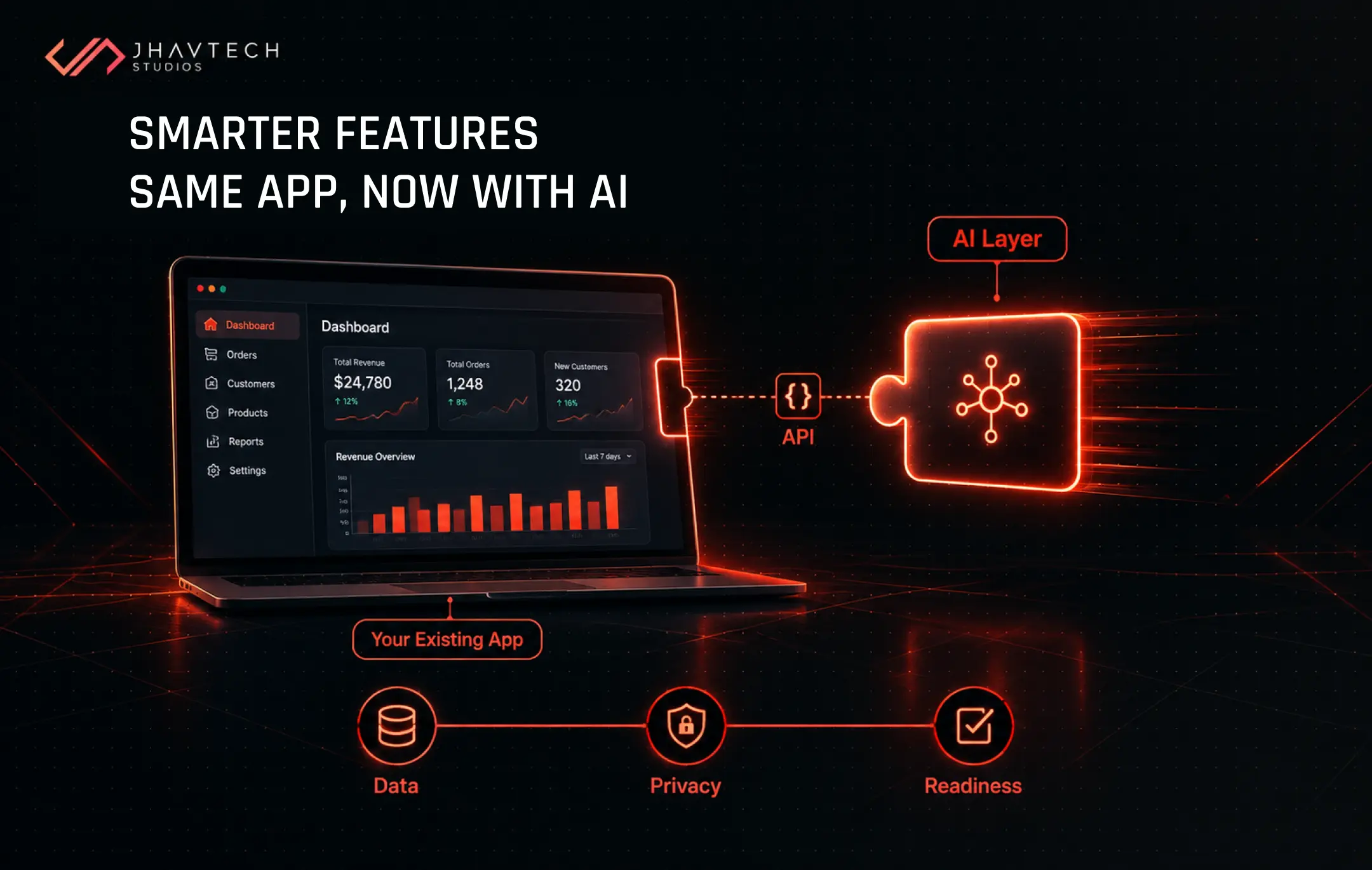
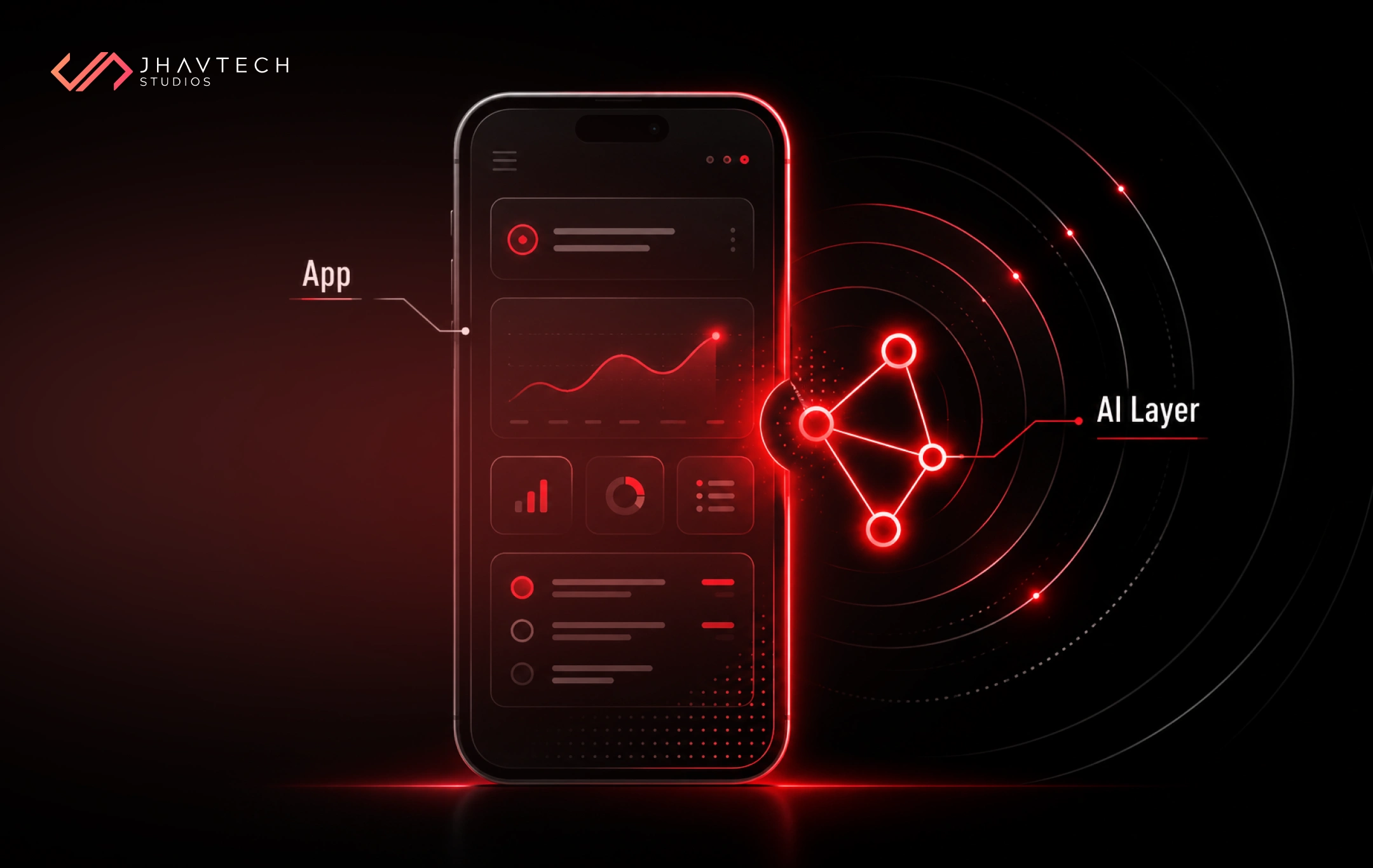
AI integration is the process of adding artificial intelligence capabilities to software you already own, so the app can understand language, make predictions, summarise information, or automate routine decisions using your existing data and workflows.
For most SMEs in 2026, that means large language model integration. Your app sends a request to a model such as GPT, Claude or Gemini through an API, receives a response and does something useful with it, which means you're renting the intelligence rather than building your own.
A few real-world shapes this takes:
- A property management app that drafts replies to tenant maintenance requests and tags each one by urgency.
- A B2B ordering portal where customers type "same as last month but double the coffee pods" instead of rebuilding a cart.
- A clinic booking system that summarises intake forms before the GP walks in.
- A field service app that looks at a photo of a faulty part and suggests the likely fix.
None of these use cases required building a custom model from scratch. What they did need was clean enterprise data, a solid API layer, and screens designed for answers that are sometimes slow to arrive and occasionally wrong.
That last point trips up a lot of teams, because traditional software is deterministic: give it the same input and you'll get the same output every time. LLMs don't work that way, so your architecture, error handling and user experience all need to allow for a fair bit of variation in what comes back.
Is Your App Ready? Checking AI Application Compatibility
AI application compatibility is how well your current architecture, codebase and infrastructure can support AI features without major rework. Assess it first, because it decides whether you're looking at a six-week feature or a six-month rebuild.
Signs your app will struggle
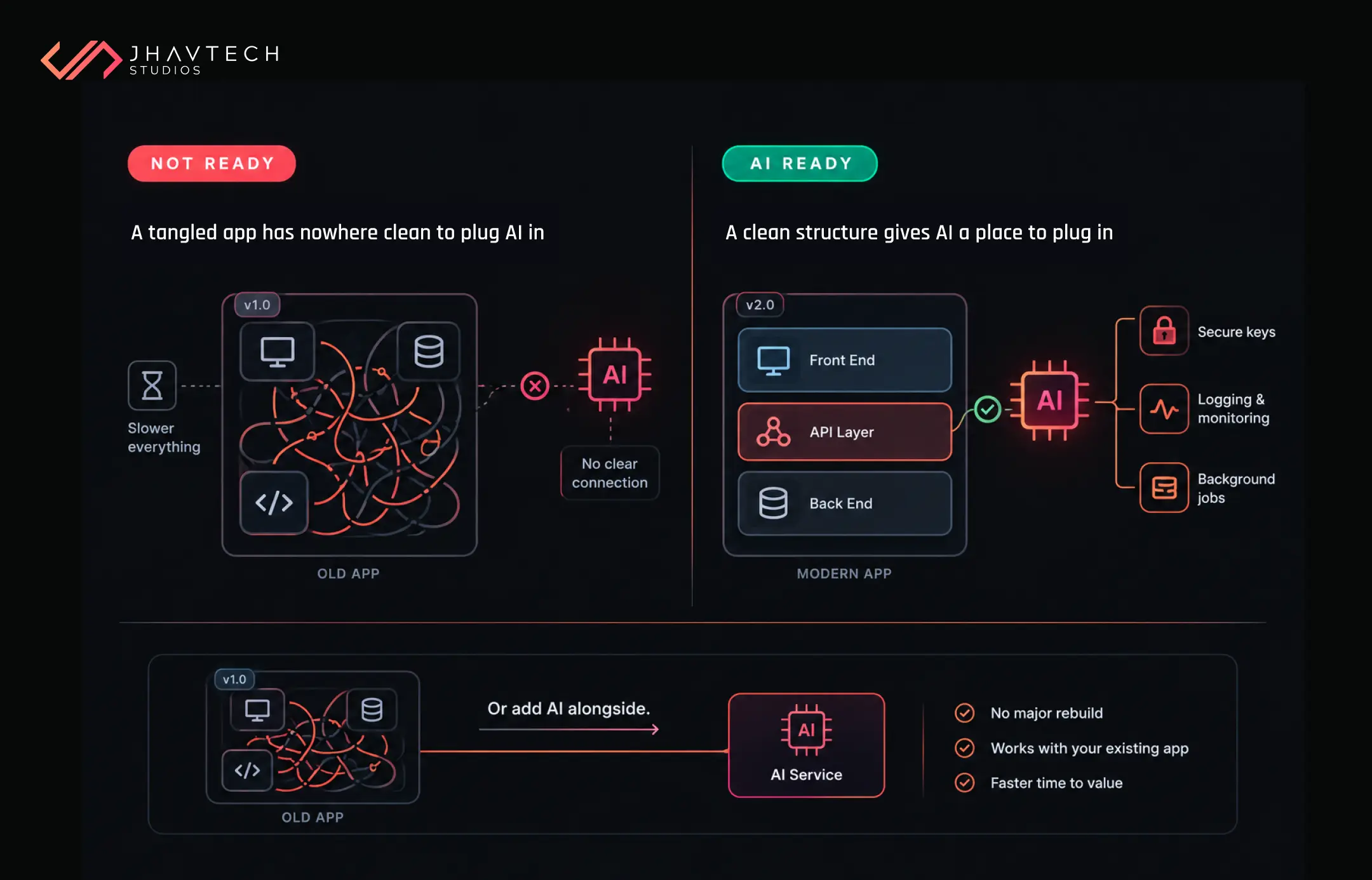
Older apps tend to hit the same walls. A monolith where business logic, database calls and screens are tangled together leaves no clean place to plug in an AI service. Synchronous request handling means a model call that takes eight seconds freezes the whole screen. Ageing frameworks may not support the current SDKs from AI providers. And with no automated tests, there's no safety net when AI changes start touching core flows like checkout or onboarding.
What an AI-ready app usually has
- A clear API layer between the front end and back end, so AI calls can sit behind it.
- Support for background jobs, queues, or streamed responses.
- Logging you can extend to track model calls, response times, and spend.
- Server-side storage for secrets such as API keys. Never ship them inside a mobile app.
- Dependencies that are reasonably up to date.
Missing a few of these doesn't automatically mean starting over, since a small, separate service can often sit beside the old system and handle the AI work while the core app carries on as normal. Working out which path fits is exactly what a technical discovery phase should answer before any budget gets locked in.
If the app was built on shaky ground and the original developers are long gone, it's usually cheaper to bring in specialists who get stalled software back on track than to force AI onto code nobody fully understands.
Enterprise Data Connectivity: Your AI Is Only as Good as What It Can Reach
Enterprise data connectivity means giving AI features secure, reliable access to the business data they depend on, whether it lives in your app's database, a CRM, an accounting platform or a folder of shared PDFs.
This is where most AI projects quietly die. A Gartner survey of more than 1,200 data management leaders found 63% of organisations either lack the right data practices for AI or aren't sure they have them. Gartner's prediction off the back of that is blunt: through 2026, organisations will abandon 60% of AI projects unsupported by AI-ready data.
AI-ready doesn't mean perfect, though. In practical terms, it means the data can be reached, is reasonably accurate and consistently labelled, and has enough governance around it that you know who's allowed to use what.
Five questions to answer before you build
- Where does the data live today? Count the systems. If the answer is "four, plus the spreadsheet Sharon updates on Fridays", sorting that out comes before any AI work.
- Can it be reached by API? Or is someone exporting CSVs by hand every week?
- How fresh does it need to be? A support assistant quoting last month's prices is worse than no assistant.
- Who owns it, and is any of it personal or sensitive?
- Is it consistent? Three spellings of the same customer will confuse an AI faster than a person.
Why most SMEs use RAG instead of training
Many SME integrations now rely on retrieval-augmented generation (RAG). Instead of retraining a model, the app searches your own documents or records, pulls out the relevant pieces, and hands them to the LLM alongside the user's question. Answers stay grounded in your information, and you can update that knowledge without touching the model.
The catch is that the quality of your search and source content ends up mattering more than which model you choose, so if you feed it outdated policy documents, it will quote them back to customers with complete confidence.
AI API Development: Build, Buy or Blend?
AI API development is the work of designing the connection layer between your application and an AI service: the endpoints, prompts, data handling, error recovery and cost controls in the middle. Users never see this layer, yet it's what decides whether the feature holds up on a busy Monday morning.
There are four broad routes, and most SMEs end up combining two of them.
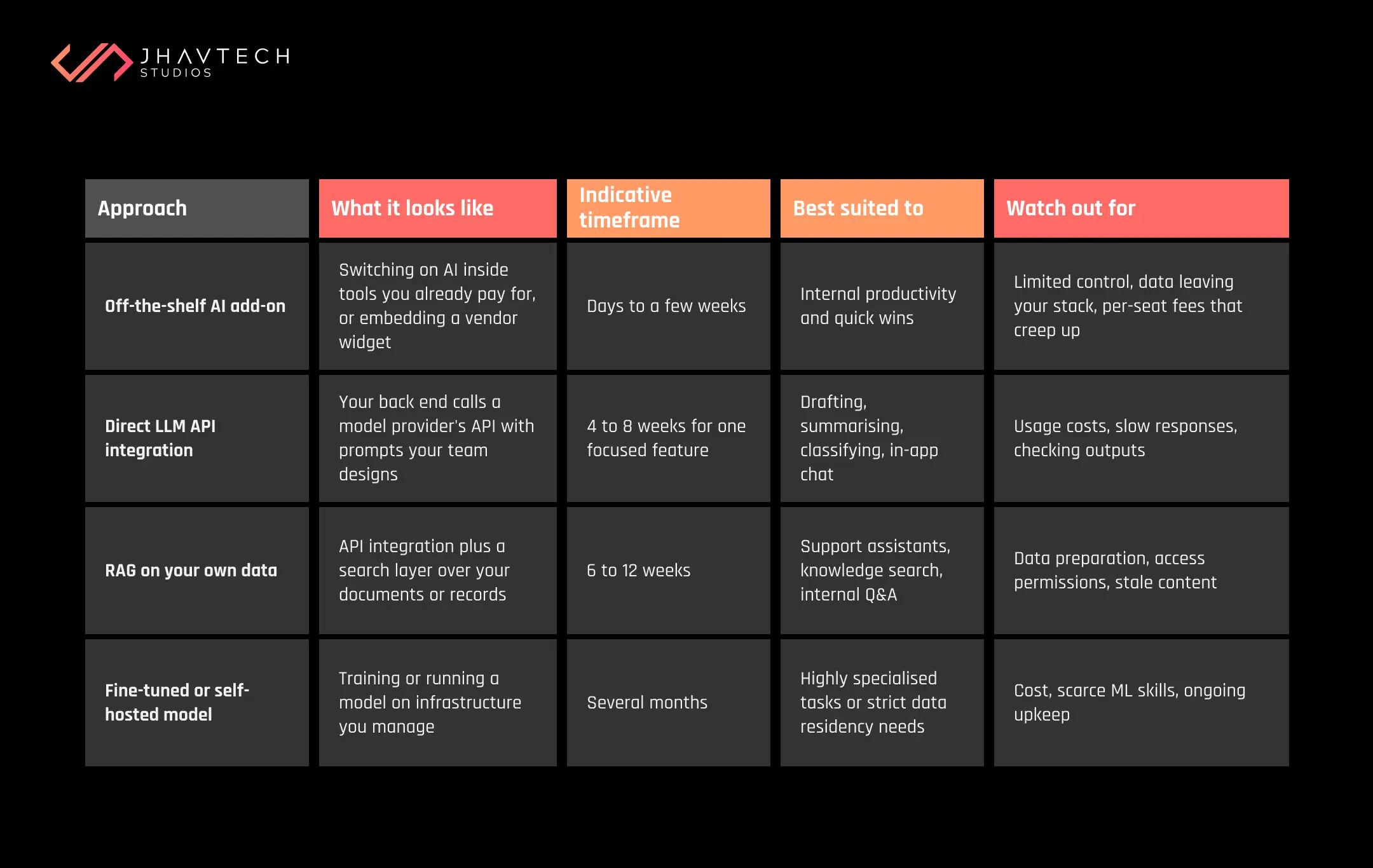
Timeframes are indicative and assume a reasonably modern codebase.
Design for change from day one
Models move fast, and the provider that suits you today could easily be second-best next year (pricing tends to shift without much notice, too). Put an abstraction layer between your app and the model so you can swap providers without rewriting features. Store prompts as configuration, not hard-coded strings. Keep your data and search indexes in formats you control. We unpack the wider principle in our guide on how to prevent vendor lock-in when building custom software.
For budgeting the connection work itself, our breakdown of API integration costs in Australia for 2026 gives realistic ranges. And if your product is still taking shape, it often pays to design your app around AI from the very first sprint rather than retrofitting it later.
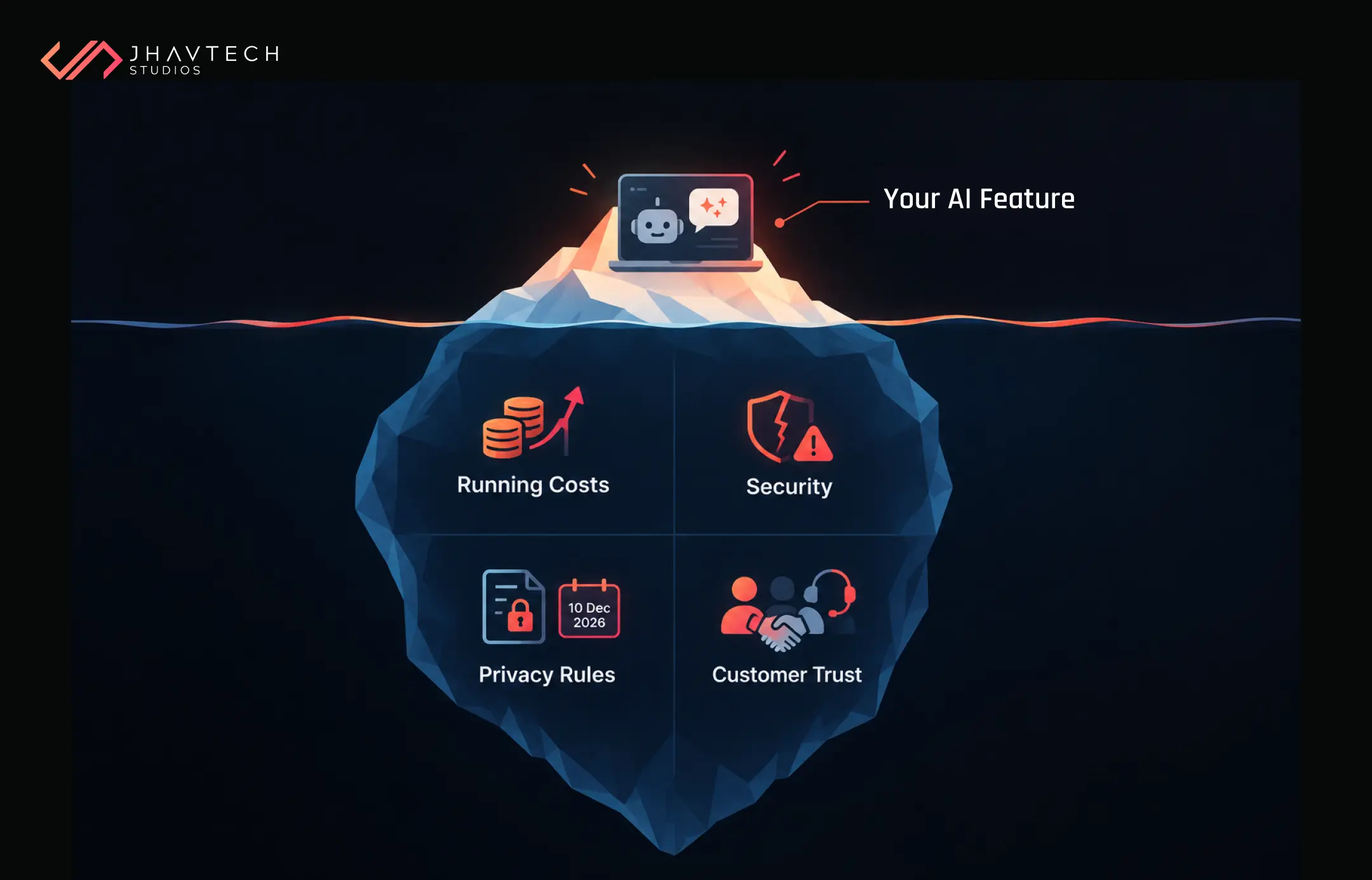
The Costs, Risks and Rules That Get Overlooked
Running costs don't stop at launch
LLM APIs charge per token, which is roughly a chunk of text going in or coming out. A feature that costs a few dollars a day in testing can run to thousands a month once every user hits it ten times a day. Ask for a cost model built on realistic usage, set hard spending caps with your provider, and cache common responses. Smaller, cheaper models handle simple sorting and tagging jobs perfectly well, so there's no reason to pay premium rates for every single request.
Security looks different with AI
AI features open up attack routes that your current security testing probably doesn't cover. The OWASP Top 10 for LLM Applications ranks prompt injection as the number one risk: a user, or a document your AI reads, slips in instructions that make the model ignore its rules or reveal data it shouldn't. Treat every model output as untrusted. Never let an LLM run database queries or trigger payments without checks in between and give AI components only the access they need.
Australian privacy obligations still apply
If an AI feature touches personal information, the Privacy Act covers what goes in and what comes out. The OAIC's guidance on privacy and the use of commercially available AI products calls for due diligence on any AI product, a privacy-by-design approach that includes a Privacy Impact Assessment, and, as best practice, keeping personal and sensitive information out of publicly available generative AI tools.
A deadline is also coming up, because from 10 December 2026, organisations covered by the Privacy Act must explain in their privacy policies when computer programs make or do something substantially and directly related to making decisions that could significantly affect someone's rights or interests. If your new feature scores leads, approves applications or flags accounts, check whether it falls in scope. The OAIC published a fact sheet and flowchart on 30 September 2026 to help businesses work this out.
Trust has a commercial side too. In the National AI Centre data, around 65% of SMEs not using AI pointed to distrust of AI decision-making or a wish to keep humans in control, and there's a good chance your customers feel much the same way. Label AI features clearly, show sources where you can, and always offer an easy route to a real person.
Your AI Integration Readiness Checklist
Run through this list before you brief a developer, and if you can't tick at least seven, close those gaps first.
☐ We've named one specific problem AI should solve, and how we'll measure success
☐ We know which data the feature needs and where it lives
☐ That data can be reached through an API or a reliable sync
☐ Our app has a clean API layer and can handle slow or streamed responses
☐ Logging and monitoring are in place for new services
☐ API keys and secrets are stored server-side, never in the app itself
☐ We've estimated monthly model costs at realistic user volumes
☐ We've checked our privacy obligations, including the December 2026 rules
☐ A person reviews AI outputs before they reach customers, at least early on
☐ We can switch AI providers without rewriting the feature
Start Small, Prove It, Then Scale
The businesses getting real value from AI integration rarely have the flashiest demos. They picked one annoying, expensive problem, connected the right data to it, and measured the results for a few months before expanding.
Working this way costs less and carries less risk. It hands you hard numbers for your board or investors while building the kind of internal trust that turns a pilot into something your team leans on every day.
Get the foundations right (compatible code, connected data, a flexible API layer and clear privacy settings) and AI becomes a feature you control rather than a gamble you're hoping will pay off.
Frequently Asked Questions

.webp)

.png)
.png)
.png)

.png)
.png)
.png)
.png)
.png)
.png)
.png)
.png)
.png)
.png)
.png)
.png)
.png)
.png)
.png)
.png)
.png)
.png)
.png)
.png)
.png)
.png)
.png)
.png)
.png)
.png)
.png)
.png)
.png)
.png)
.png)
.png)
.png)
.png)

.png)
.png)
.png)
.png)

.png)
.png)
.png)


.png)
.png)
.png)
.png)

.png)


.png)

.png)




.png)



.png)





.png)

.png)

.png)
.png)