.svg)
.svg)


How to Prevent Vendor Lock-In When Building Custom Software
Key Takeaways
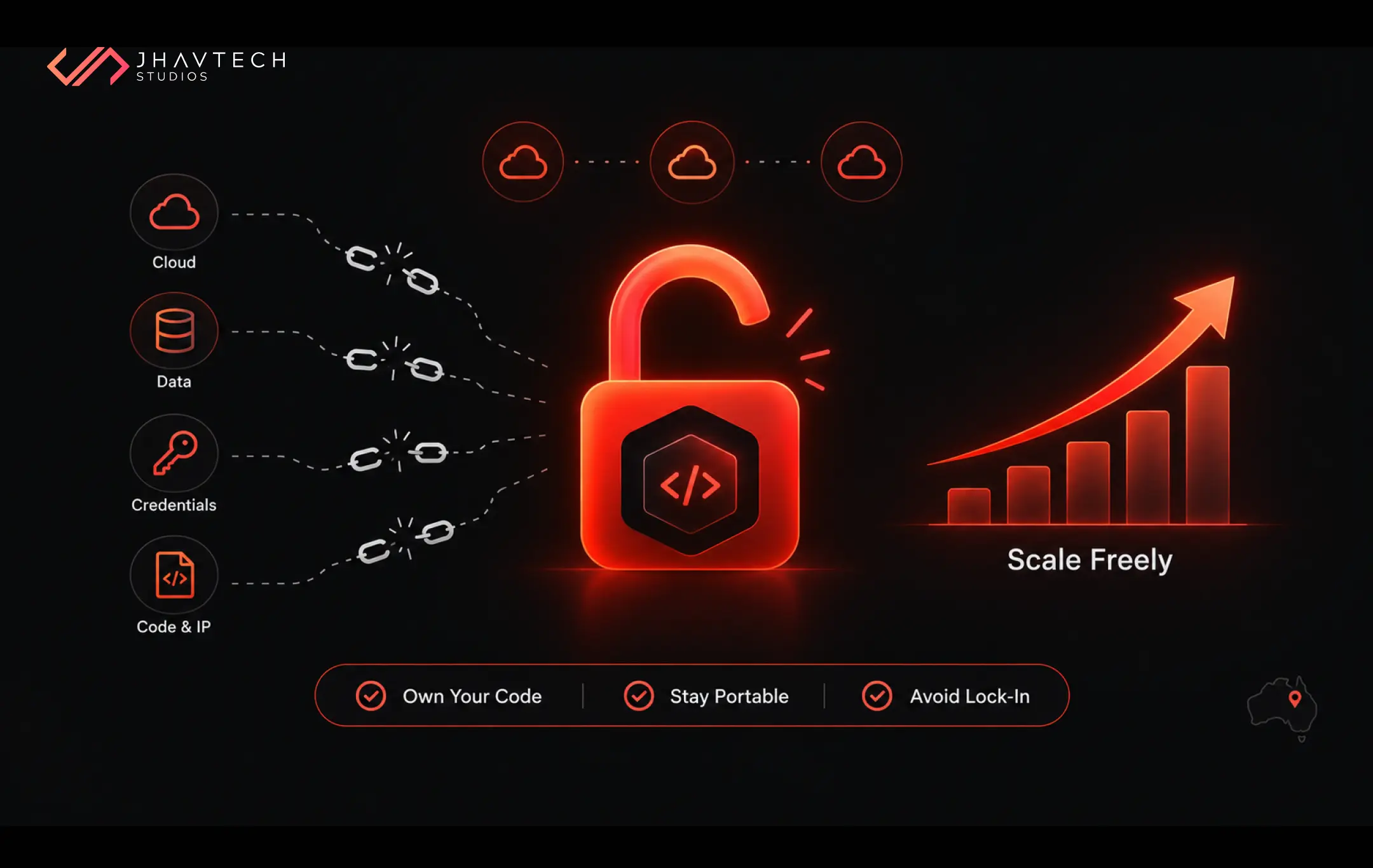
- Vendor lock-in happens when switching away from a technology provider becomes so expensive, technical, or contractual that you stay put even when it hurts your business.
- Concern is at an all-time high. 94% of organisations are worried about vendor lock-in in 2026, up from an already elevated level the year before, according to Parallels' State of Cloud Computing Survey.
- The biggest risks come from proprietary APIs, closed databases, single-cloud dependencies, missing documentation, and IP or credentials you don't control.
- You can avoid vendor lock-in with open standards, portable architecture, clean data ownership, and exit planning built in from day one.
- This blog gives startup and SME decision makers a practical framework, a risk comparison table, and a pre-build checklist to keep your software truly yours.
When you commission custom software, you are making a long-term bet. You expect it to grow with you for five, ten, maybe fifteen years. So, it stings when, two years in, you discover that a routine change means paying your vendor a small fortune, or that your data lives in a database only one company can read, or that moving to a cheaper cloud would mean rebuilding half your product.
That trap has a name: software vendor lock-in. And it is one of the quietest, most expensive mistakes a growing business can make.
For Australian founders, the stakes carry a local twist. An SME scaling across Melbourne, Sydney, or Brisbane has to weigh sovereign data compliance and the real cost of local cloud infrastructure, and a single-provider setup can quietly box you in on both fronts at once.
The good news? Lock-in is almost always a design choice, not an accident. Get the architecture and contracts right at the start, and you keep the freedom to switch providers, renegotiate pricing, and evolve your product on your own terms. This guide walks you through exactly how to do that.
What Is Vendor Lock-In, Really?
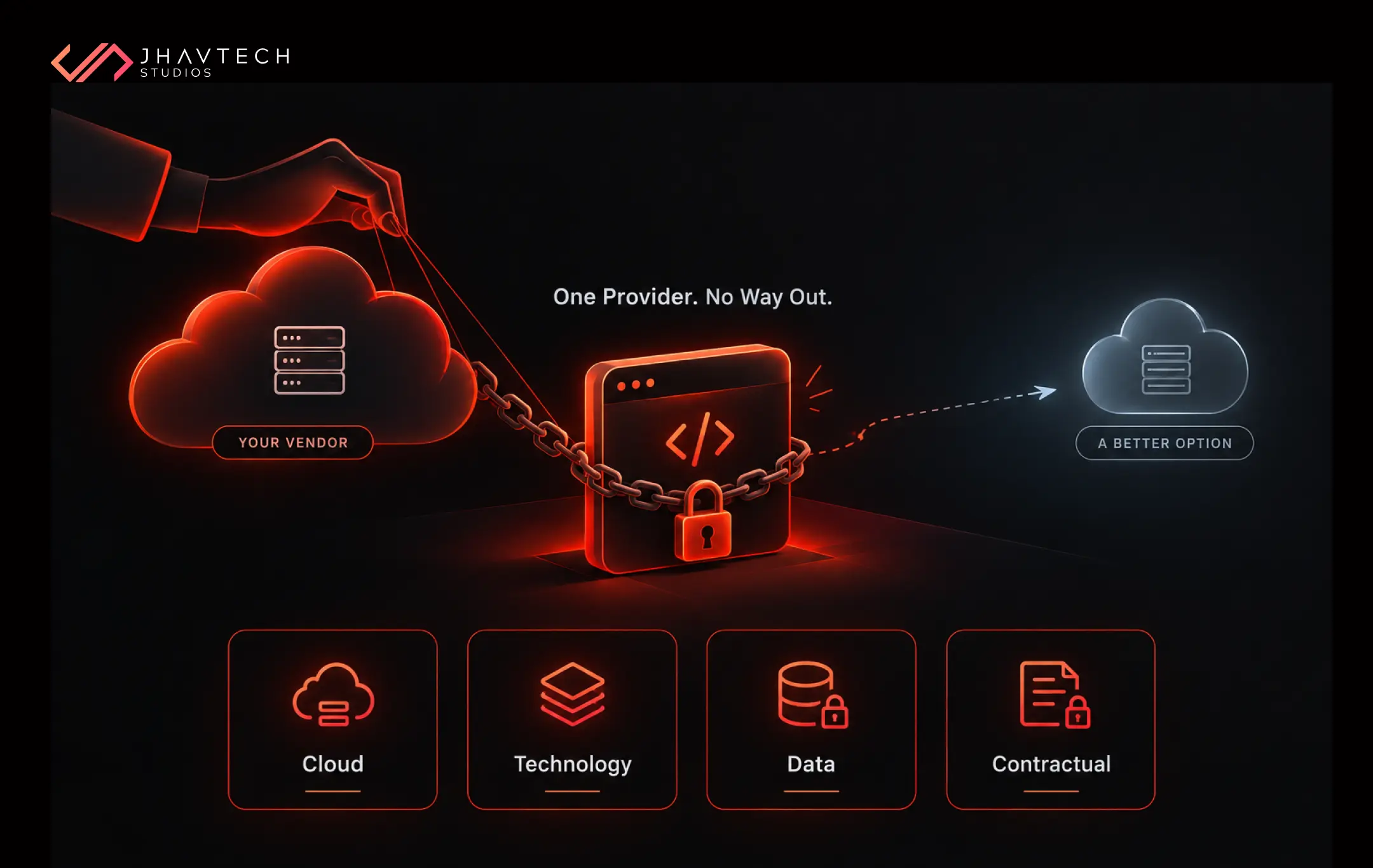
Vendor lock-in is what happens when the cost of leaving a supplier, whether in money, time, or technical pain, is high enough that you stay even when a better option exists. You are not choosing your vendor anymore. Your past decisions are choosing for you.
In custom software, lock-in shows up in a few flavours:
- Cloud vendor lock-in: Your app depends so heavily on one cloud provider's proprietary services that moving elsewhere means a major rebuild.
- Technology vendor lock-in: Your product is welded to a specific framework or database that only one company controls.
- Data lock-in: Your business data sits in closed formats or a database you cannot easily export.
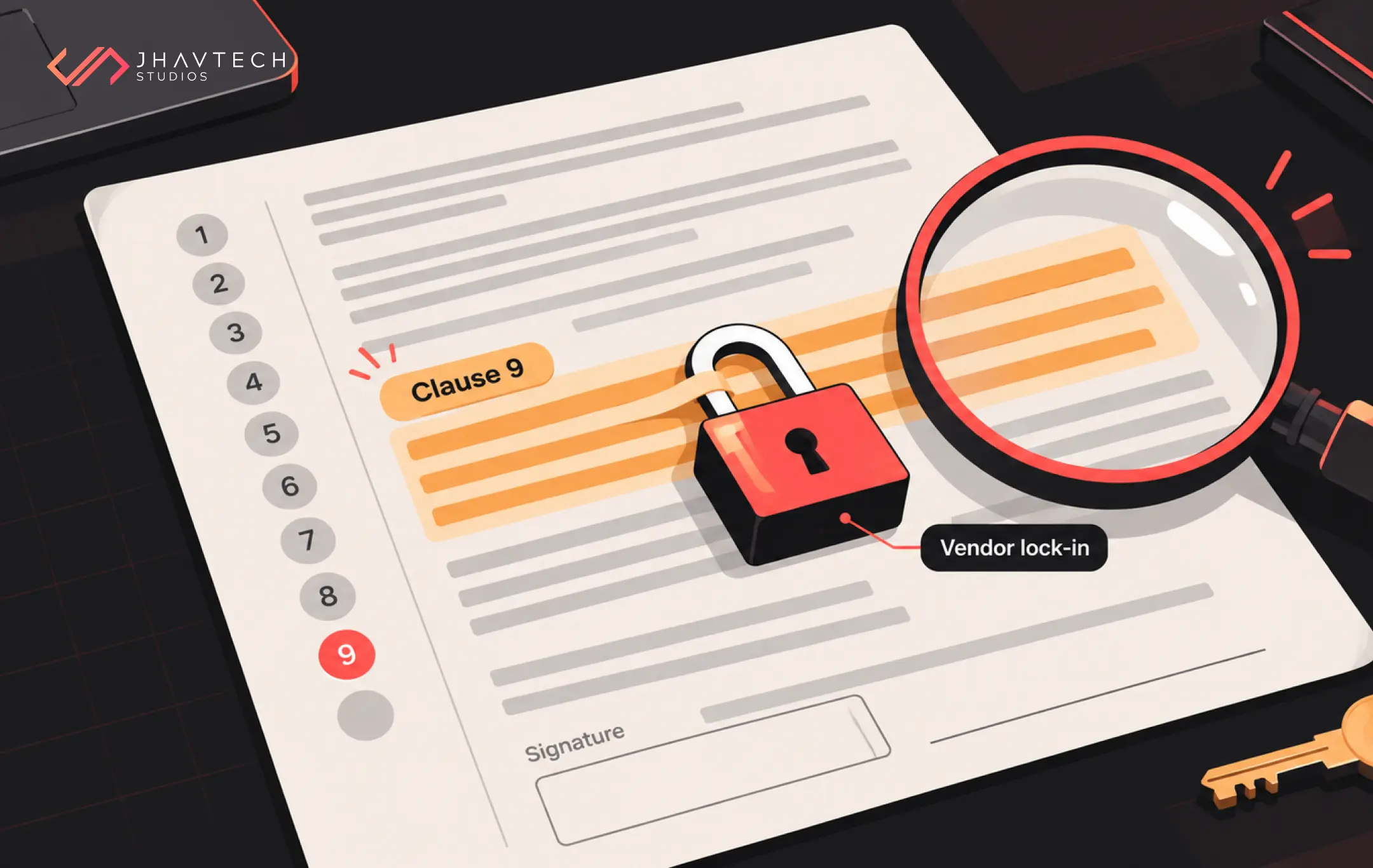
- Contractual lock-in: Licensing terms, renewal clauses, or exit fees make leaving painful on paper before it is ever painful in code.
The regulators have noticed. In its 2025 investigation into the UK cloud market, the Competition and Markets Authority formally identified cloud vendor lock-in as an adverse effect on competition, finding that structural features of cloud services, including technical barriers, software licensing practices, and egress fees, make it genuinely difficult to switch providers. Australia is watching the same debate closely, with local data sovereignty rules adding a layer that overseas businesses simply don’t have to think about.
When a national competition watchdog builds a case around it, you know this is more than developer folklore.
Why Software Development Vendor Lock-In Is Getting Worse
Three forces are tightening the screws right now.
First, cloud concentration. A handful of hyperscalers dominate the market, and their most convenient features are often the least portable. Second, the AI gold rush. Teams are wiring their products to specific AI platforms and proprietary APIs at breakneck speed, rarely asking what happens if pricing triples. Third, speed pressure. Startups race to ship, grab the fastest managed service available, and worry about consequences later.
The numbers tell the story. Multi-cloud has become the norm precisely because businesses want to avoid being trapped with one provider, yet many still find themselves locked into inflexible arrangements that drive up costs. In fact, 45% of IT leaders say vendor lock-in has already slowed their ability to adopt more flexible cloud solutions.
The financial stakes are not abstract either. Basecamp famously projected 7 million dollars in savings over five years by moving off the cloud and out of a costly single-provider setup. For a Melbourne or Brisbane startup running lean, even a fraction of that kind of exposure can be the difference between funding your next hire and paying it to a cloud bill.
Where Lock-In Hides in a Custom Build
Before you can avoid vendor lock-in, you need to know where it creeps in. Here is a side-by-side look at the common traps and the freedom-preserving alternative.
Lock-In Risk Comparison
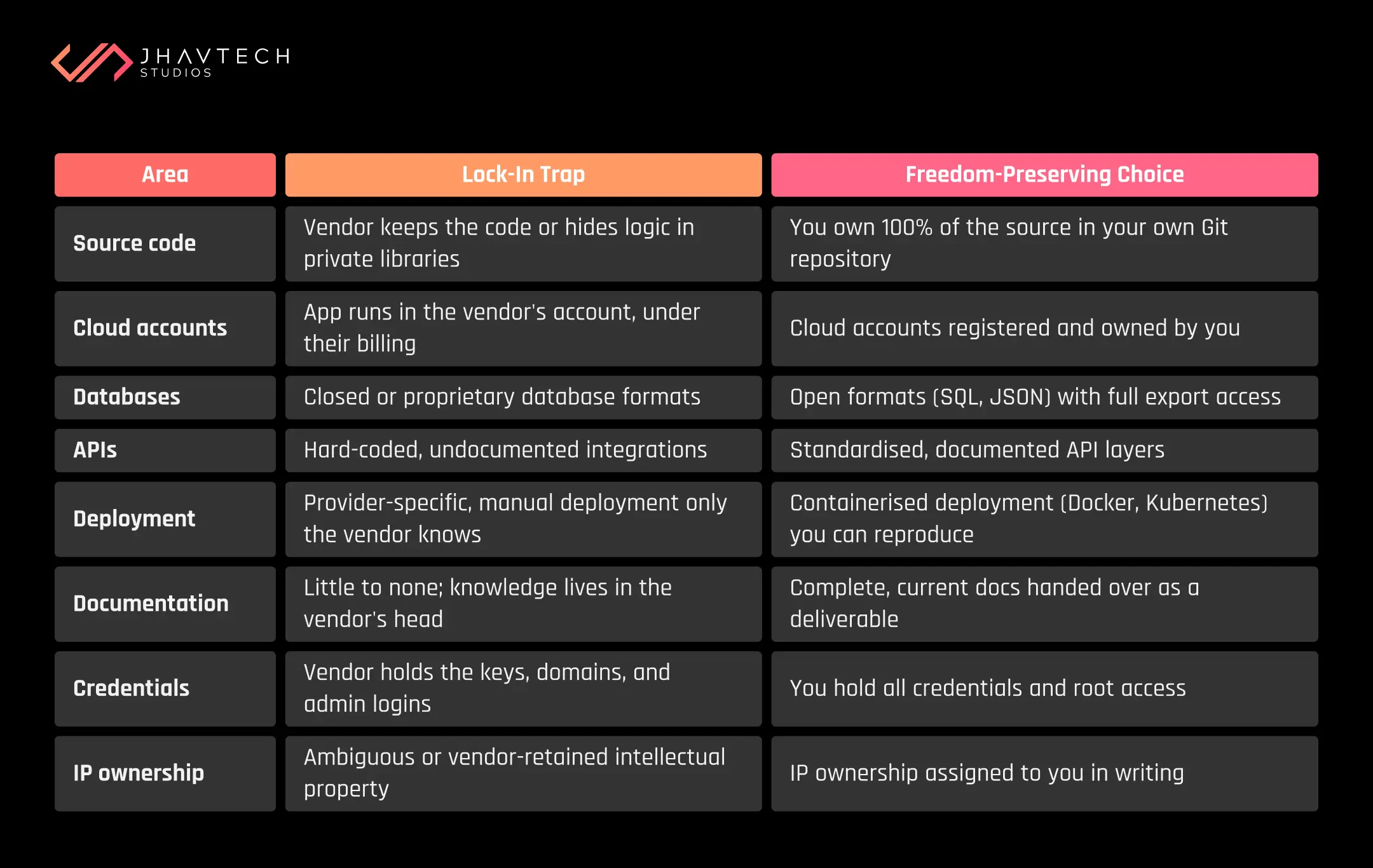
Notice the pattern. Almost every trap has a low-cost, well-established alternative. Choosing freedom rarely means choosing something worse. It usually just means choosing deliberately.
How to Avoid Vendor Lock-In: A Practical Framework
Here is the approach we use at Jhavtech Studios when we build software meant to outlast trends and providers.
1. Own Your Code, Accounts, and Credentials
This sounds obvious, yet it is the single most common failure we see when we take over troubled projects. Some shops retain the source code, host it in their own Git repository, run your app inside their cloud accounts, and hold every credential themselves. You cannot leave without losing your product.
Insist on full source code and IP ownership in writing. Your code belongs in a Git repository you control, your application in cloud accounts registered to your business, and every credential, from admin logins to domain registrars, in your hands. If your current build is a black box, an independent code audit will tell you exactly what you own. Our no-cost code review exists precisely for founders who suspect they are more locked in than they were promised.
2. Design for Portability from Day One
Portability is an architectural stance you take at the start, not something you bolt on later.
Favour open standards over proprietary shortcuts. Containerise your deployment so the app can run on any cloud, and so a new team can reproduce it without guesswork. If you are building for mobile, thoughtful cross-platform application engineering keeps you from getting locked into one vendor's device ecosystem from the outset. Keep provider-specific code isolated behind an abstraction layer, so swapping a service is a contained change, not a rewrite. This is why structure matters so much early, a point we cover in our guide on choosing the right software architecture for a growing business.
The industry is voting with its feet. More and more teams now lean on cloud-agnostic tools and containers like Docker and Kubernetes specifically to keep their options open and their apps easy to move.
3. Keep Your Data and APIs Free
Your data is your business, and it should never be a hostage. Store it in open formats, and make sure you can export the entire database cleanly, on demand, without a support ticket or a fee. Watch for egress charges, the costs some providers levy simply to move your own data out. For Australian businesses handling customer records under local privacy obligations, knowing exactly where your data lives and how to move it is not just convenient, it is part of staying compliant.
Your integrations deserve the same care. Build them through documented, standardised APIs rather than hard-coded connections only the original developer understands.
4. Avoid Single-Cloud Dependency
You don’t need a complex multi-cloud setup to stay flexible. You just need to avoid welding your core logic to one provider's proprietary features. Build so the essential parts of your product could run elsewhere with reasonable effort. That optionality alone gives you real negotiating power at renewal time.
5. Demand Documentation and Exit Terms
The best time to plan your exit is before you enter. Insist on complete, current documentation as a project deliverable, not an afterthought, so any competent team can take over. Then make sure your contract spells out source code ownership, IP ownership, data and credential handover, and what happens when the relationship ends. A vendor who resists these terms is telling you something important.
The Trade-Off Nobody Tells You About
Let me be straight with you, because pretending otherwise would be dishonest. Avoiding lock-in sometimes costs a little more upfront.
Proprietary managed services are seductive because they are fast and convenient. A portable, standards-based approach can take slightly longer to set up and may ask more of your engineering team. This is a genuine trade-off, not a trick.
But here is the math that matters. The convenience is front-loaded, and the cost is back-loaded. You feel the savings early and the pain late, usually right when your business is scaling and can least afford a forced rebuild. Weighing that honestly is part of any sound build decision, which is why we walk clients through it in our build versus buy decision framework. For most growing companies, paying a modest premium now to stay free later is one of the highest-return decisions they will make.
Your Pre-Build Anti-Lock-In Checklist
Before you approve a single line of code, run through this list with your development partner. If you cannot get a clear yes to each item, dig deeper.
Anti-Lock-In Checklist
☐ Do I own 100% of the source code, in writing, in my own Git repository?
☐ Is IP ownership assigned to me in the contract?
☐ Are all cloud accounts registered and billed to my business?
☐ Do I hold every credential, domain, and admin login?
☐ Can I export my entire database, in open formats, whenever I want?
☐ Are there any egress fees or data-extraction costs to know about?
☐ Is deployment containerised so it can run on more than one cloud?
☐ Are integrations built through documented, standardised APIs?
☐ Will I receive complete, current documentation as a deliverable?
☐ If my vendor vanished tomorrow, could another team pick this up?
That last question is the acid test. If the honest answer is no, you may already be more locked in than you realise.
When You're Already Locked In
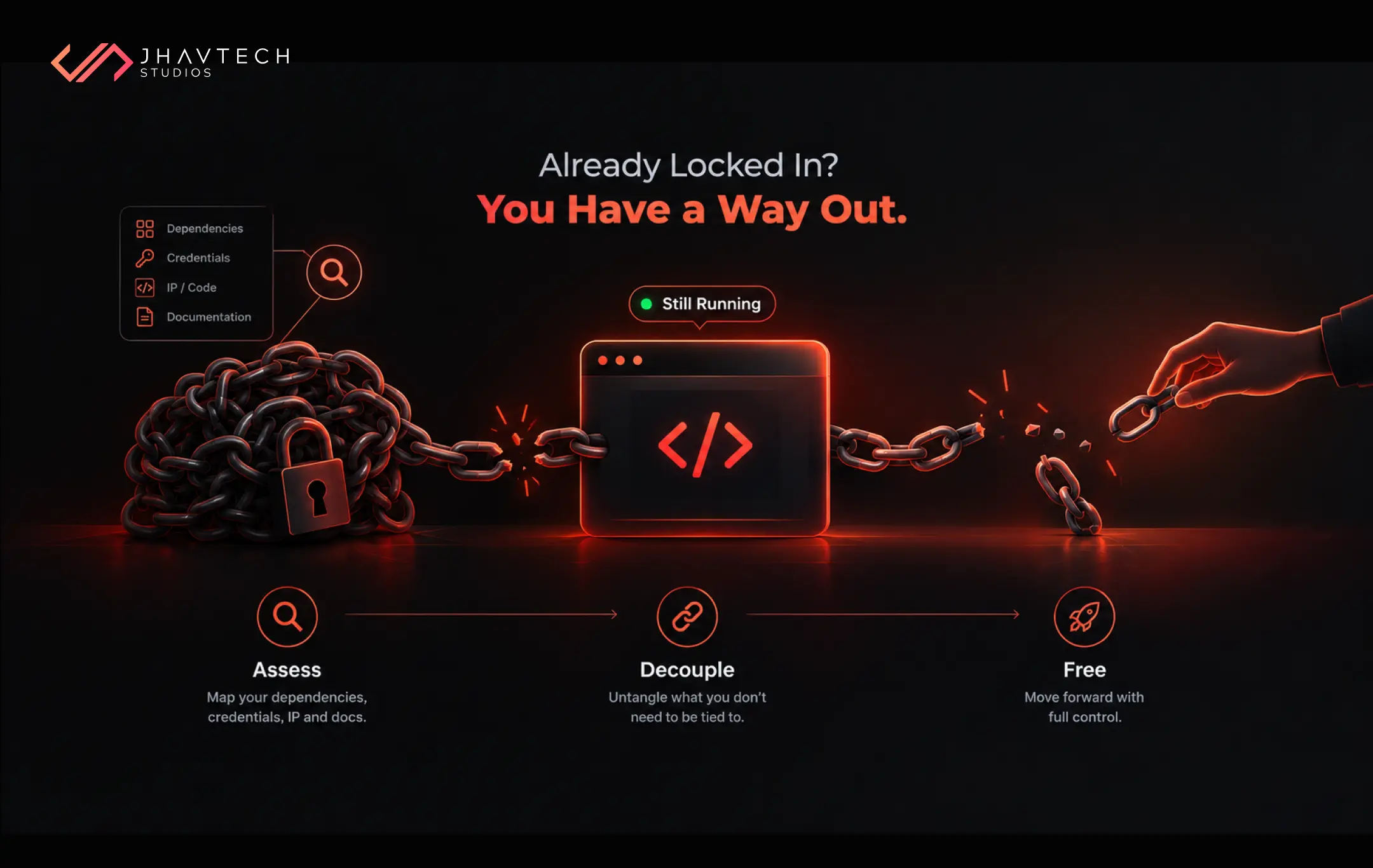
Maybe you are reading this a little late, recognising your own project in the warning signs. Do not panic. Lock-in exists on a spectrum, and most situations can be loosened rather than torn down.
The path forward usually starts with an honest assessment: what are you tied to, how deep does it go, and what would freedom cost? A code audit maps your dependencies, surfaces missing documentation, and confirms who really holds the credentials and IP. From there, you can prioritise, decoupling the highest-risk dependencies first while keeping the product running. We do this regularly through structured codebase recovery and takeover work that stabilises the software and hands control back to the owner. Escaping a captive setup was also a theme in our look at the biggest technology risks facing Australian startups in 2026.
The Bottom Line
Vendor lock-in is not inevitable. It is the predictable result of a hundred small convenience decisions made without asking one simple question: what happens if I want to leave?
Ask that question at every stage. Own your code, accounts, credentials, and IP outright, design for portability, insist on documentation, and put your exit rights in writing. Do those things and your custom software stays what it should always have been: an asset you control, not a cage you rent.
The businesses that thrive over the next decade will be the ones that kept their options open. With 94% of organisations now worried about lock-in, the market has already shifted. The only question is whether your next build reflects that shift or ignores it.
Frequently Asked Questions

.png)

.png)
.png)
.png)
.png)
.png)
.png)

.png)
.png)
.png)

.png)
.png)
.png)
.png)
.png)
.png)
.png)
.png)
.png)
.png)
.png)
.png)


.png)
.png)
.png)
.png)
.png)
.png)
.png)
.png)
.png)

.png)
.png)
.png)
.png)
.png)
.png)
.png)
.png)
.png)
.png)
.png)
.png)
.png)

.png)
.png)
.png)
.png)

.png)
.png)
.png)

.png)
.png)
.png)
.png)

.png)


.png)


.png)




.png)



.png)





.png)

.png)