.svg)
.svg)


Cloud Migration for Legacy Applications: A Practical Guide for Australian Businesses
Executive Summary
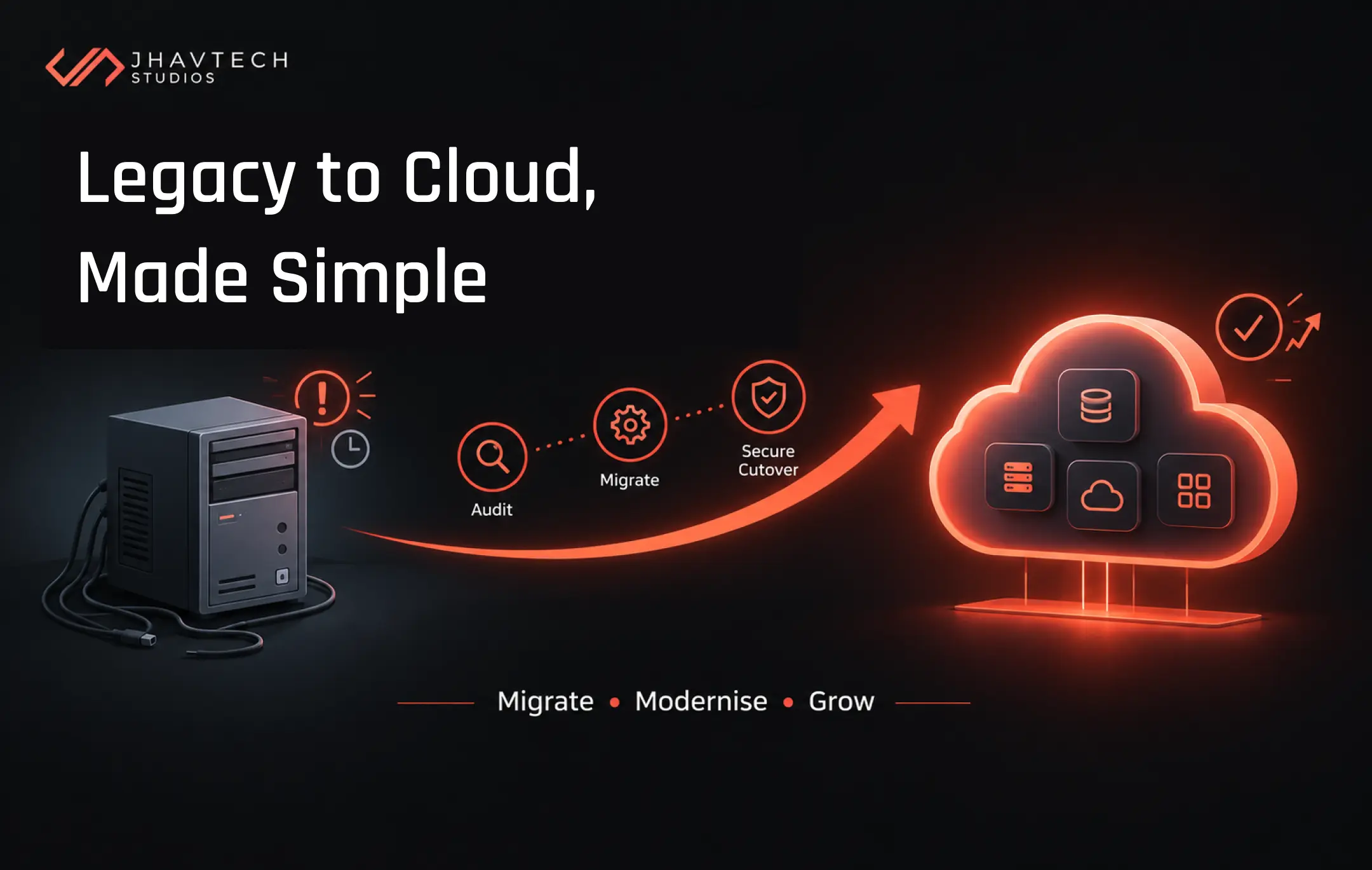
The short version: Legacy applications are quietly draining Australian budgets, and 2026 is the year the pressure became impossible to ignore. Public cloud spending here is forecast to hit A$33.6 billion, the federal government has made cloud the default for new digital investments, and the average global enterprise now wastes over US$370 million a year failing to modernise old systems. This blog walks startup founders and SME decision makers through why legacy application cloud migration matters right now, the migration strategies that work, a realistic cost and risk breakdown, and a step-by-step checklist to get you started. No jargon, no scare tactics, just a clear plan.
Every growing business eventually runs into the same wall. The software that got you here starts holding you back. Maybe it is a booking system built years ago that crashes during your busiest week, or an internal tool nobody wants to touch because the one developer who understood it left in 2019. You keep patching it because replacing it feels risky. Sound familiar?
At Jhavtech Studios, this is pretty much our bread and butter. We have spent well over a decade in Melbourne building software and, just as often, rescuing it when it goes off the rails. So, we have watched plenty of Australian founders wrestle with exactly this decision. Let's talk plainly about cloud migration for legacy applications: what it involves, what it costs, and how to do it without betting the company.
Why 2026 Is a Turning Point for Cloud Migration in Australia
The conversation around moving off old systems has shifted. It used to be a "someday" project. Now it is a boardroom priority, and the data backs that up.
Australian organisations are forecast to spend more than A$33.6 billion on public cloud services in 2026, an increase of 17.9% from 2025, according to the latest forecast from Gartner. That is real money, and it is not only the big end of town spending it. IDC forecasts that by 2026, more than 70% of Australian organisations will run the majority of their workloads in the cloud, whether public or hybrid.
Then there is the policy nudge that startups and SMEs tend to overlook. The Australian Government's Whole-of-Government Cloud Computing Policy took effect on 1 July 2026, and it explicitly pushes agencies to transition from legacy technology to modern cloud environments, making cloud the default for new digital investments. Why should a ten-person startup care what Canberra does? Because it filters down. We are already fielding questions from clients whose own customers want to know whether their systems sit on modern, secure, compliant infrastructure. "It runs on a server under someone's desk" is fast becoming an answer that loses deals.
Meanwhile, the cost of doing nothing keeps climbing. Research from Pegasystems found that the average global enterprise wastes more than US$370 million a year due to their inability to efficiently modernise outdated, inefficient legacy systems and applications. For a smaller business the dollar figure is obviously lower, but the proportion of your budget lost to keeping old software alive can be brutal. Industry benchmarks consistently place legacy maintenance at a large share of total IT spend, money that could be funding new features, hiring, or growth.
None of this means you should panic-migrate everything by Friday. It just means that sitting still has quietly stopped being the cautious choice it once felt like.
What Really Counts as a Legacy Application
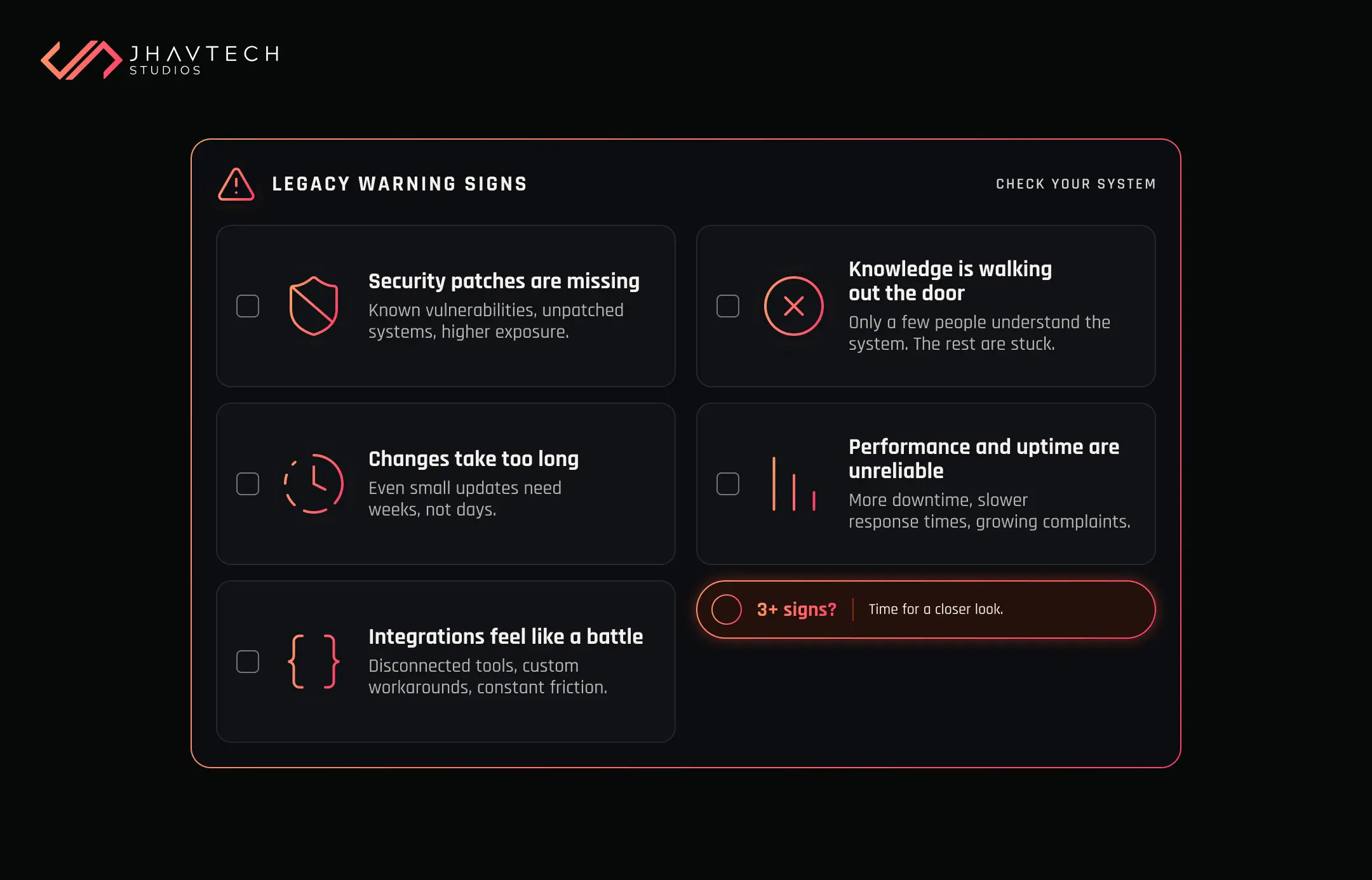
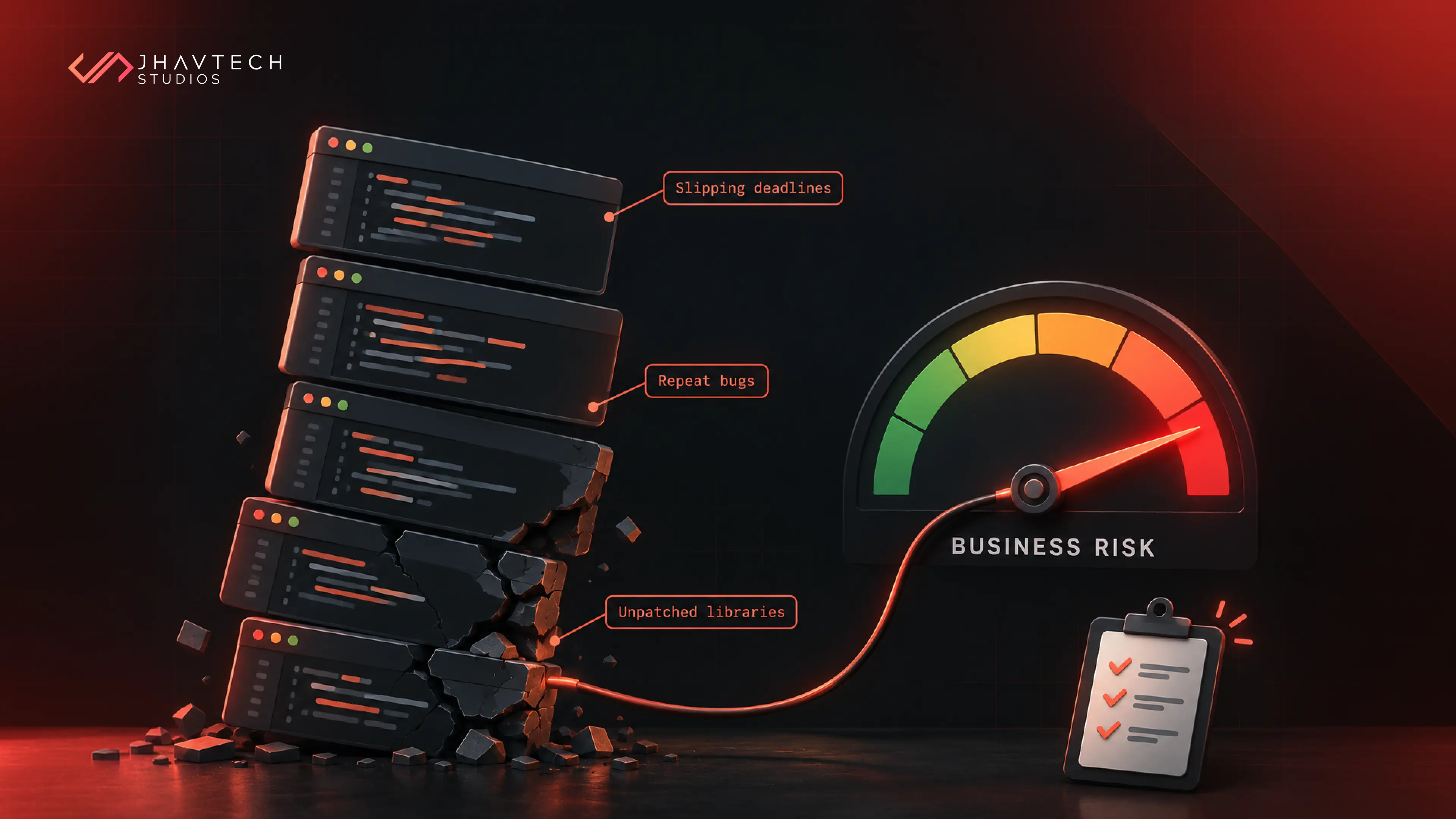
Here is the thing though: legacy is not the same as old. Plenty of old software runs beautifully and should be left well enough alone. What makes an application a genuine liability is when it starts costing you more than it gives back. The usual warning signs:
- It runs on frameworks or servers nobody patches anymore.
- Shipping even a tiny change takes weeks, and everyone quietly dreads touching it.
- It won't talk to your other tools, so someone is copy-pasting data by hand.
- The only person who really understood it left two years ago.
- Traffic spikes mean downtime instead of growth, and the hosting bill keeps creeping up.
Recognise three or more? You have a legacy application worth a proper look. And honestly, the fix is usually far less painful than founders brace themselves for.
The "R" Strategies: Your Options for Migrating to the Cloud
Not every application needs the same treatment, and that is the part people miss. The industry talks about migration paths as the "R" strategies. There are a handful of them, and picking the wrong one for a given app is how projects blow their budget. Here is what each means in plain English, minus the consultant-speak.
Rehost ("Lift and Shift")
You move the application to cloud infrastructure with minimal changes. It is the fastest and cheapest route to get off ageing hardware. The trade-off is that you don’t get the full benefits of the cloud straight away, because the app is not built to take advantage of it. Good as a first step when you need speed.
Replatform ("Lift and Reshape")
You make a few targeted upgrades during the move, such as swapping a self-managed database for a managed cloud one. You get meaningful gains in reliability and cost without a full rebuild. A sensible middle ground for many businesses.
Refactor (Application Modernisation)
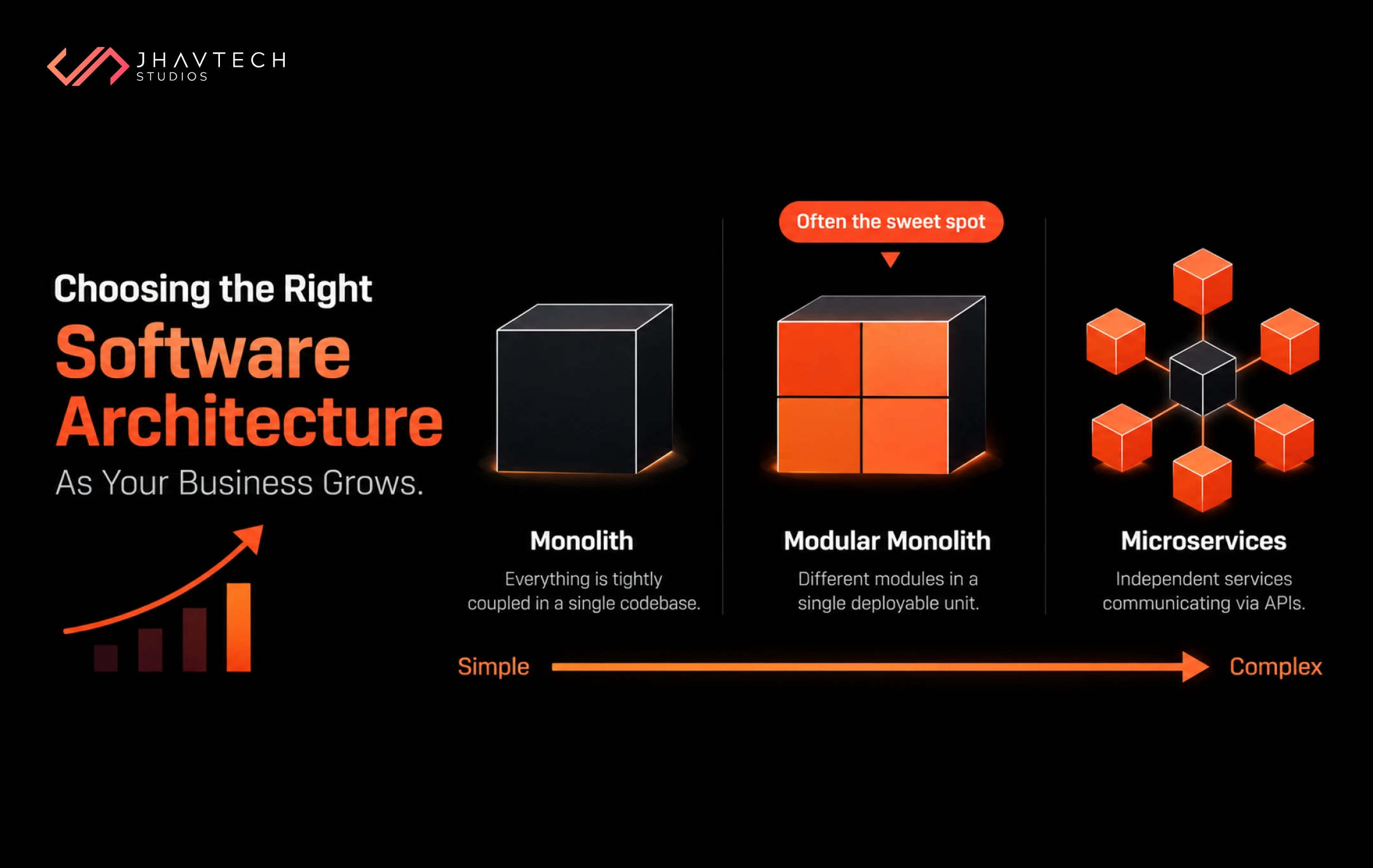
You re-architect parts of the application so it runs natively in the cloud, often breaking a monolith into smaller services over time. This is where the real long-term value lives: better scalability, lower running costs, and easier future changes. It takes more effort, so it suits your most business-critical systems.
Repurchase
You retire the custom application and switch to an off-the-shelf cloud product. Sometimes the smartest migration is deciding you no longer need to own that software at all. Other times it is the opposite: the old app is holding back the business and the real answer is a fresh custom mobile or web build designed for the cloud from day one, rather than dragging a tired codebase along for the ride.
Retire or Retain
Some applications should simply be switched off because nobody really uses them. Others should stay put for now because the timing or the risk is not right. A good migration plan is honest about both.
Which Strategy Fits Which Situation?
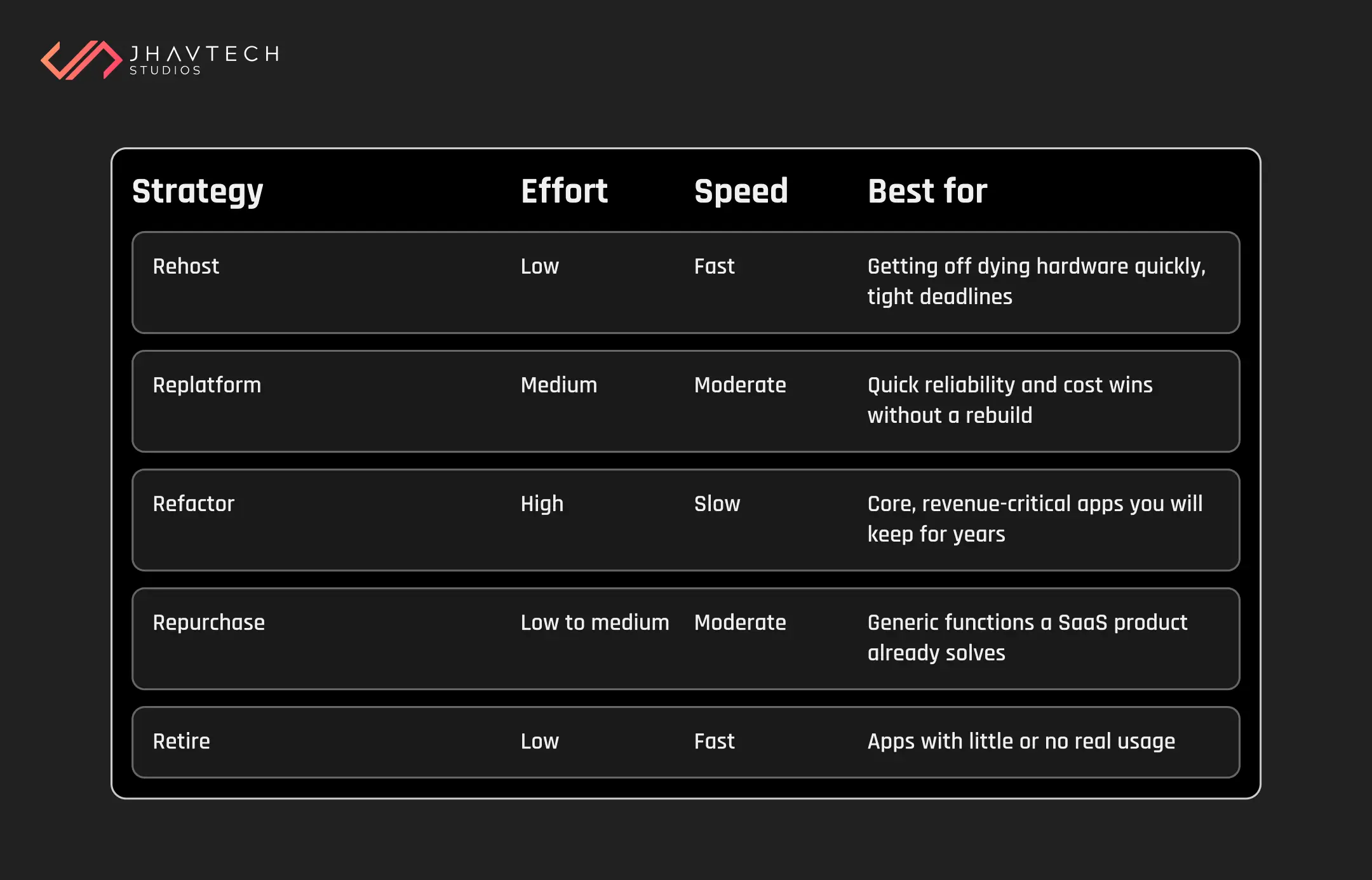
Most real migrations are a mix. You might rehost three apps to stop the bleeding, refactor the one that runs your business, and retire two you forgot you still paid for. There is no prize for doing it all at once.
Counting the Real Cost of Migration (and the Cost of Standing Still)
Let's address the question every decision maker asks first: what does this cost? The honest answer is that it depends on your strategy, your app's complexity, and how much technical debt is buried inside it. But the more useful question is what it costs to do nothing.
Technical debt doesn't sit still. It behaves like the financial kind: leave it unaddressed and it compounds, so the modernisation bill grows with each year you defer it. Old hardware gets pricier to support after warranties lapse, specialist talent for outdated systems commands a premium, and every integration workaround adds friction.
There is a growth cost too, not just a maintenance one. IDC research indicates that enterprise organisations that proactively reduce technical debt realise a 20 to 30% faster time to market on new digital initiatives. In a competitive market, moving faster than your rivals is often worth more than the migration itself.
Here is a rough way to weigh the two sides of the ledger for your own planning:
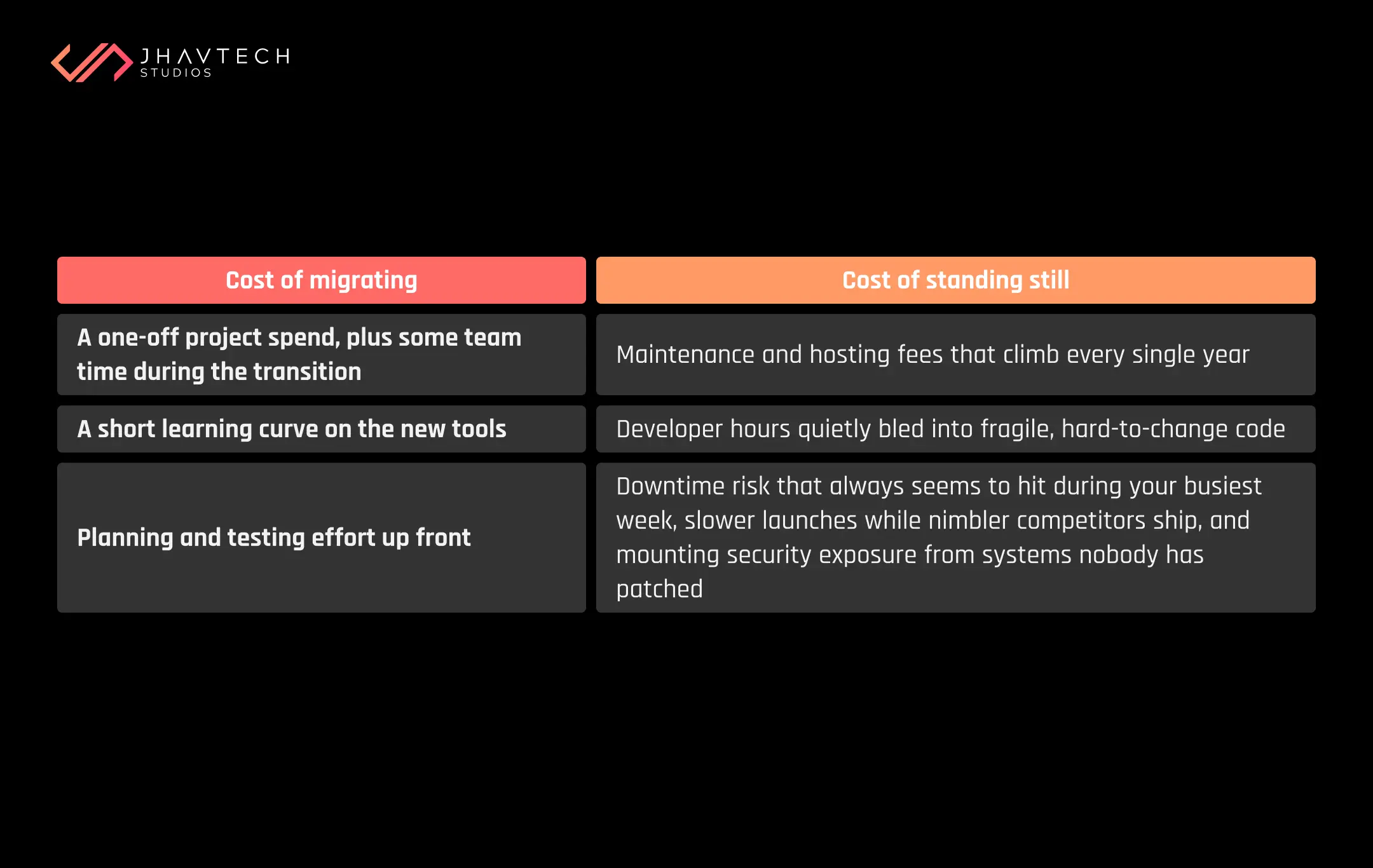
The migrating column is a known, bounded, one-time number. The standing-still column is open-ended and compounds. Once you see it laid out, "we can't afford to migrate" tends to flip into "we can't afford not to." Curious how this maths applies to your own build decisions? Our breakdown on calculating the ROI of custom software before you build it walks through the numbers in more detail.
The Migration Risks Nobody Warns You About
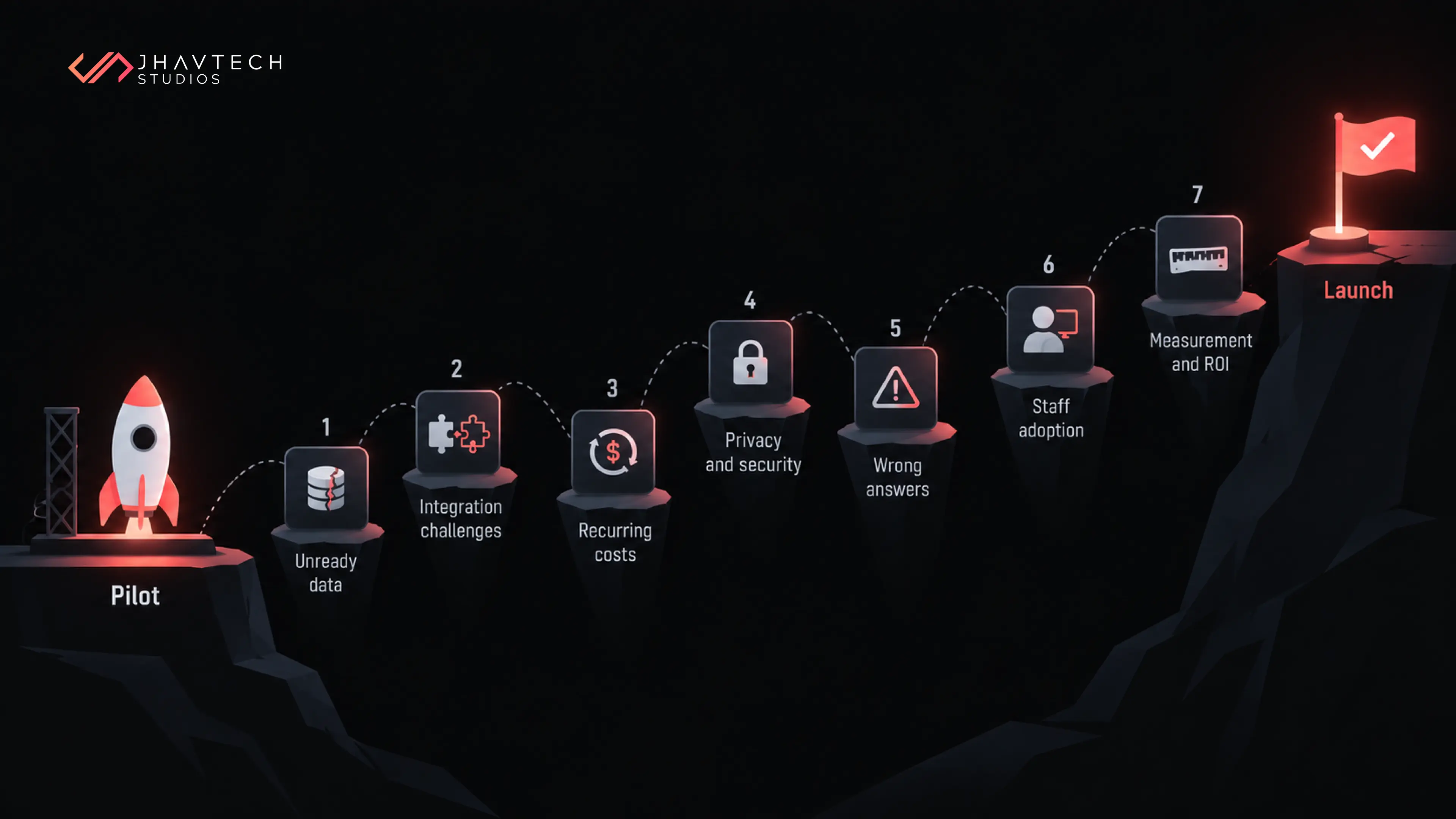
Migration is not magic, and pretending it is risk-free helps no one. The projects that go sideways usually trip on the same predictable hazards:
- Underestimating hidden dependencies. That old app talks to more systems than the documentation admits. Map everything first.
- Big-bang cutovers. Trying to switch everything over in one weekend is how businesses end up offline on Monday. Incremental beats heroic.
- No rollback plan. If something breaks, you need a fast, tested way back. Assume something will break.
- Data loss or corruption during transfer. Data is the crown jewel. Migrate it carefully, verify it obsessively.
- Cost surprises after go-live. Cloud bills can balloon without governance. Notably, IDC's 2025 research shows that 47% of IT leaders cite technical debt as a major contributor to overspending on cloud and digital infrastructure. Moving messy code to the cloud without cleaning it up just relocates the problem.
Notice the pattern: almost none of these are the cloud's fault. They come from rushing and from assumptions nobody checked. A migration run in careful, reversible steps barely resembles a panicked weekend switch-over, even though the end destination is the same. If you want the full mechanics of doing this without your users ever noticing, our guide on migrating an old application without disrupting your business digs into zero-downtime cutovers.
Your Practical Cloud Migration Checklist
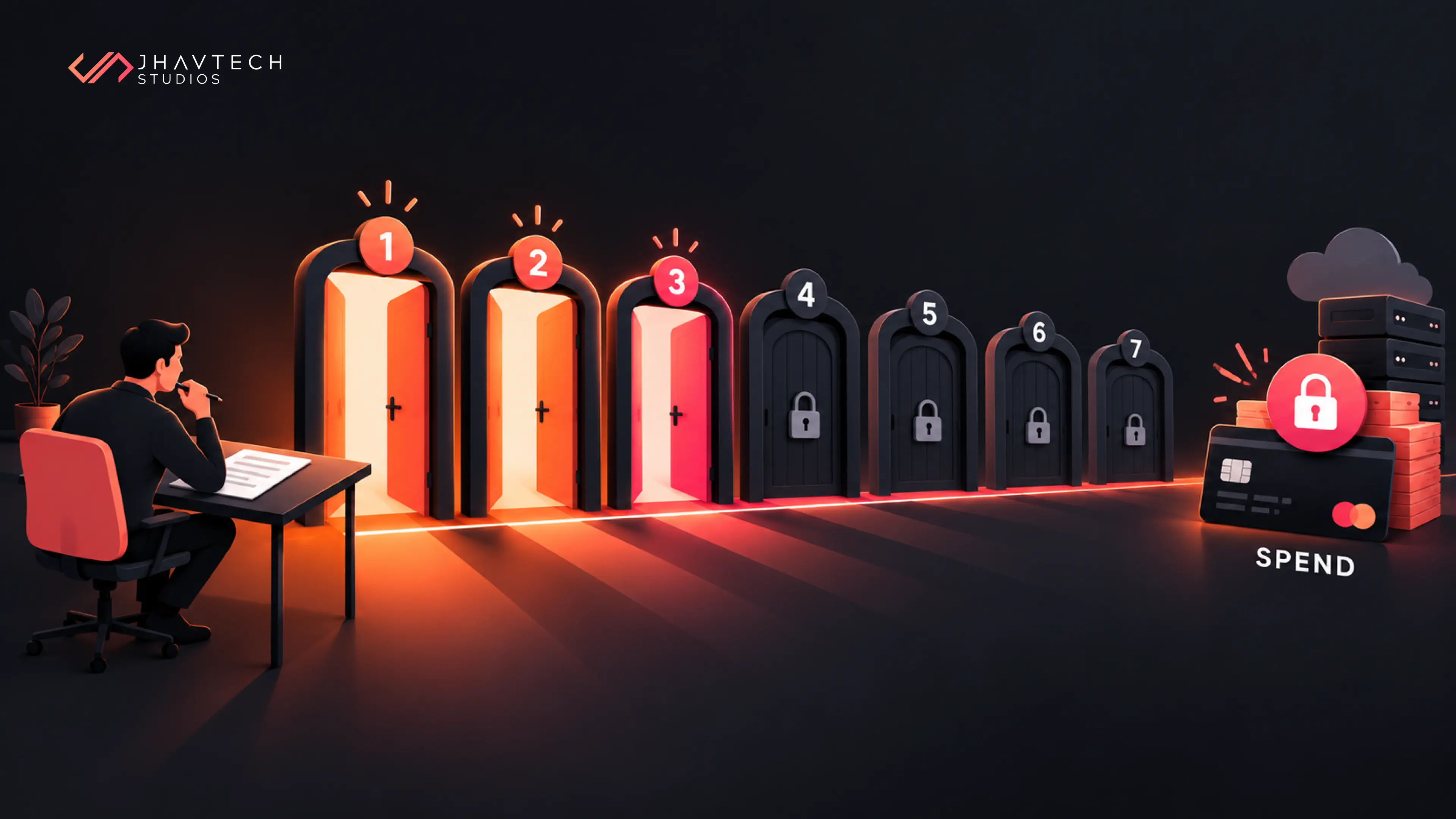
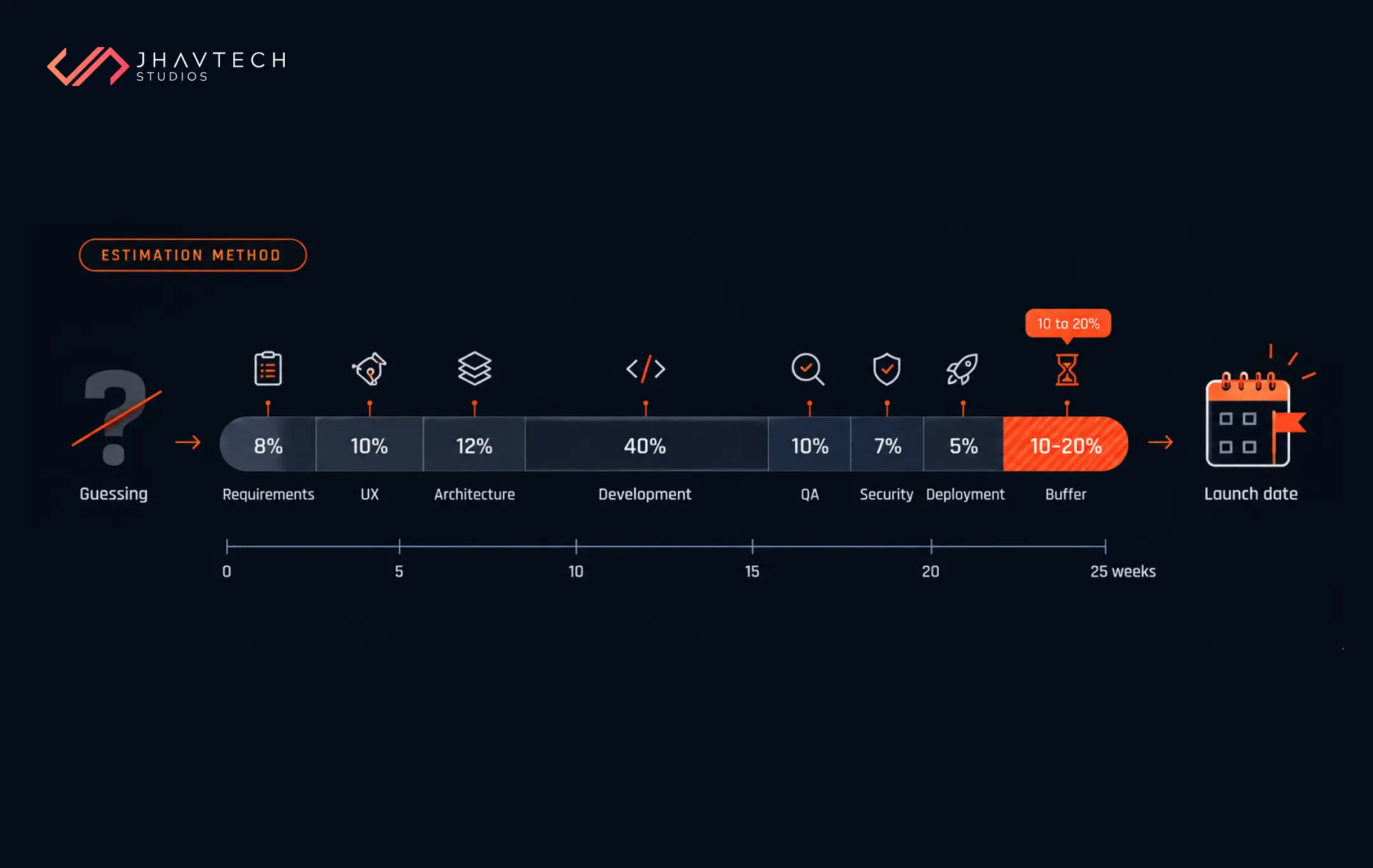
Here is a grounded, no-fluff checklist you can work through with your team or your migration partner. Treat it as a sequence, not a menu.
Before you start
☐ Inventory every application and be brutally honest about which ones are truly business-critical.
☐ Score each on what it costs to maintain, how often it breaks, and how painful it is to change.
☐ Map the dependencies and integrations (there are always more than you think).
☐ Pick an R strategy for each app.
☐ Check your compliance and data sovereignty obligations, especially if you touch Australian customer or health data.
During migration
☐ Start with your lowest-risk app to prove the process before you touch anything important.
☐ Move in small, reversible increments. Big-bang cutovers are where dreams go to die.
☐ Back up and validate your data before, during, and after every transfer.
☐ Test in a staging environment that genuinely mirrors production, and keep a tested rollback ready at each step.
After go-live
☐ Watch performance and, crucially, your cloud spend like a hawk for the first few weeks.
☐ Put cost governance in place so the bill stays predictable.
☐ Document the new setup so it doesn't quietly become next year's legacy headache.
☐ Train the team, then book a short review to bank the lessons before the next app.
Where Australian Businesses Should Pay Extra Attention
A few things matter more in the Australian context than generic global advice will tell you.
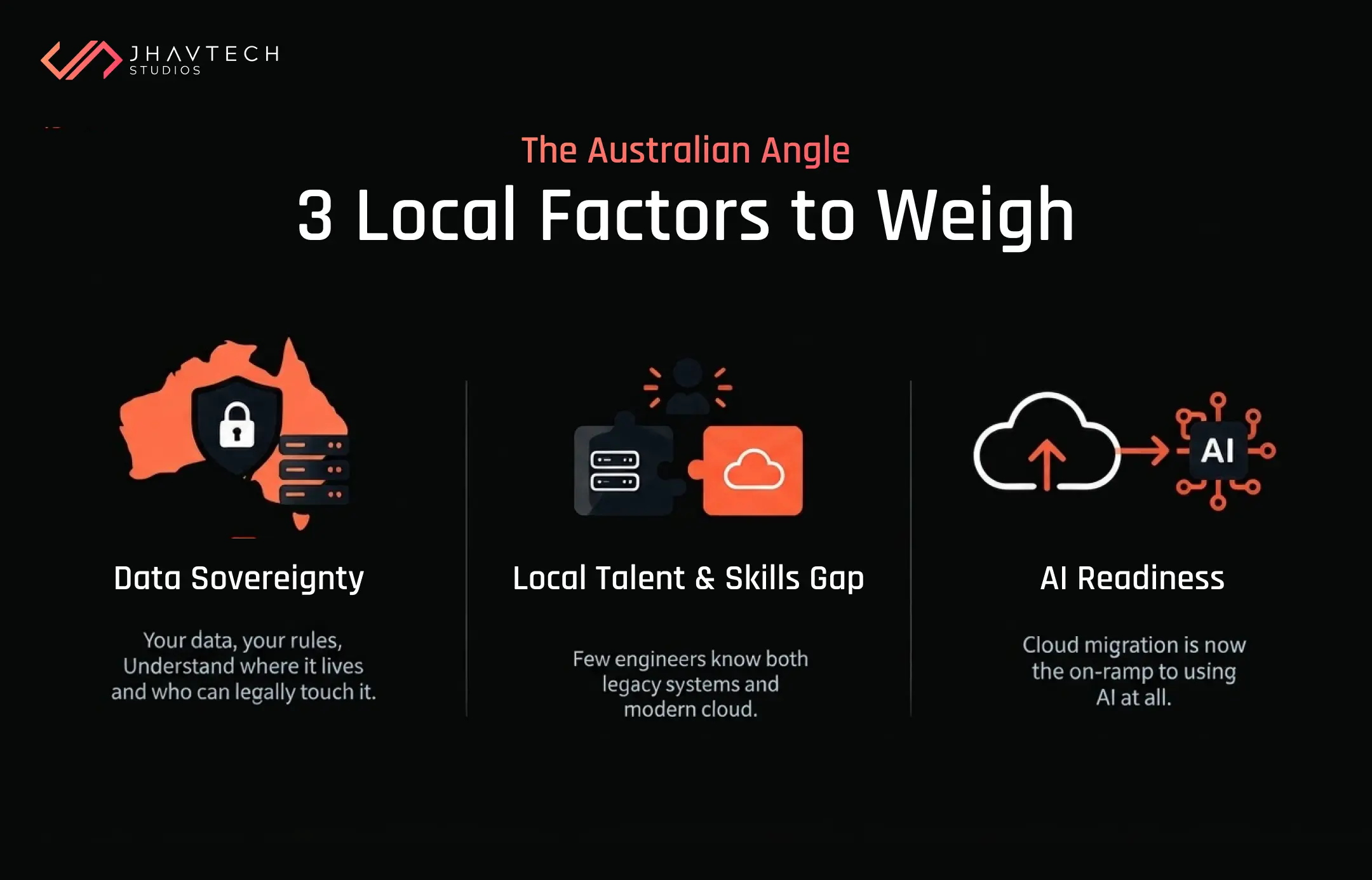
Data sovereignty is a real consideration. The federal Hosting Certification Framework and the broader push toward sovereign cloud reflect growing scrutiny of where data lives and who can access it. If you serve government, healthcare, or finance clients, hosting choices and certifications can make or break a deal. Build this into your planning early, not after a customer asks.
The talent and skills gap is genuine. Finding engineers who understand both your ageing system and modern cloud architecture is hard. This is precisely why many startups and SMEs partner with a specialist rather than hiring for a one-off project. For a wider view of what to watch for, our rundown of the biggest technology risks facing Australian startups in 2026 is worth a read.
AI is changing the equation. Much of the current cloud surge is AI-driven. Migrating to the cloud is increasingly the prerequisite for doing anything useful with AI later. McKinsey found that companies with fragmented or legacy systems were 30% more likely to experience AI implementation delays due to the inability to integrate with modern data platforms. If AI features are on your roadmap, modernising now clears the runway.
When to Bring in Help
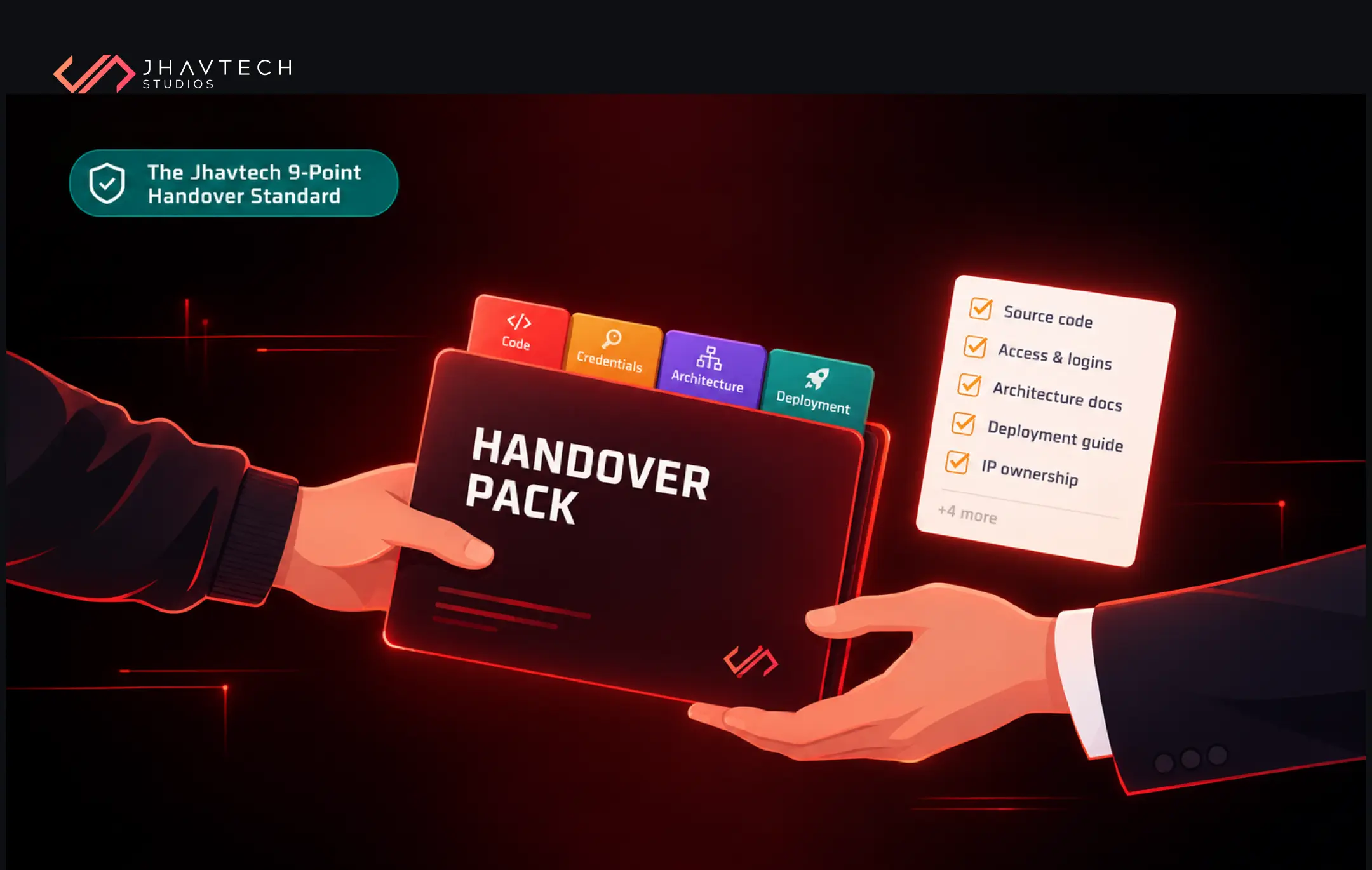
You can absolutely handle parts of a migration in-house, and plenty of teams do. But a few situations are a flashing red light: the original developers are long gone, the codebase is a mystery box, a previous attempt stalled halfway, or the app is simply too critical to fumble. In those cases, bringing in people who do this every week tends to pay for itself in disasters avoided.
We saw this play out with Mindset Coach Academy, an assessment and reporting platform we inherited with a fair bit of technical debt baked in. Rather than tearing it down and starting over, our team audited the codebase, stabilised the role-based access and assessment engine, cleared out the debt while keeping the reusable parts, and got the reporting and coach-client workflows running reliably again, all while the platform stayed live. The University of Melbourne's Law School was a similar story from a different angle: an outdated course and semester management application that we rebuilt on a modern stack into a self-sustained system the faculty could actually rely on. Different clients, same lesson. The winning move is rarely a dramatic rip-and-replace. It is a careful, staged clean-up.
That is usually the honest recommendation too. Sometimes the right call is a broader software project turnaround to tidy the mess before it ever touches the cloud. Other times the old app has genuinely reached the end of the road and a rebuild makes more sense than a migration. It depends entirely on what you have got, which is exactly why we start with an honest look under the bonnet rather than a sales pitch.
The Bottom Line
Strip away the hype and legacy application cloud migration in 2026 comes down to fairly cold maths. Old systems get more expensive every year, they carry more risk, and they slow you down at exactly the moments speed matters. The wider market has clearly picked its direction, the government has made cloud the default, and the businesses modernising with a bit of care are the ones best placed to grow and to actually do something with AI when the time comes.
You don’t need to move everything overnight, and you shouldn't. You need a clear inventory, a sensible plan for each app, and a process you can reverse if something goes sideways. Our advice, after doing this for years: start with the system that scares you most, prove the approach on it, and let the confidence build from there.
Frequently Asked Questions


.png)

.png)

.png)
.png)







.png)
.png)
.png)
.png)