.svg)
.svg)


Building a sleek iOS app is one thing—getting users to stick around is the real challenge. With over 1.96 million apps on the App Store as of 2025, users have endless options. If your app doesn’t grab them—and keep them—you risk becoming just another forgotten download.
That’s why user retention is the real success metric. And at the heart of high retention lies exceptional iOS app design.
In this blog, we’ll explore proven iOS app design principles that boost engagement, satisfaction, and loyalty. Whether you’re launching a brand-new product or refreshing an existing app, these insights will help you deliver a memorable user experience that keeps users coming back.
Why User Retention Is the Real Success Metric
You can spend thousands acquiring users, but if they abandon your app after one use, that investment goes to waste. According to Statista, apps lose 70% of users within the first 30 days—and 25% are gone after just one use.
Retention isn’t just a number—it’s a reflection of how well your app solves real user problems and how enjoyable it is to use. High churn usually signals friction in the user journey, unclear value propositions, or a lack of emotional connection. On the flip side, strong retention is often the result of intuitive design, thoughtful interactions, and fast performance. In fact, studies show that increasing retention by just 5% can boost profits by up to 95% (Bain & Company). That’s why retention-focused design isn’t optional—it’s essential.
Here’s what strong retention looks like:
| Metric | High-Retention Apps | Low-Retention Apps |
| 1-Day Retention Rate | 40-50% | <20% |
| 7-Day Retention Rate | 25-30% | <10% |
| 30-Day Retention Rate | 15-20% | <5% |
To keep users engaged, your iOS app design needs to focus on:
- Seamless user journeys
- Clear, intuitive interfaces
- Personalised interactions
- Fast, responsive performance
At Jhavtech Studios, we embed these principles into every project from day one.
Top iOS App Design Principles That Drive Retention
1. Design for Simplicity and Speed
Users expect a frictionless experience from the first tap. In fact, 79% of users will abandon an app if it’s too slow or confusing, according to Google’s UX research. First impressions matter—if your app takes too long to load or feels cluttered, users will likely move on to a competitor. Simplicity and speed aren’t just preferences; they’re non-negotiables in today’s mobile experience. Clean interfaces and fast performance set the foundation for long-term engagement.
Here’s how to keep it simple:
- Use minimalistic layouts—avoid unnecessary elements.
- Prioritise essential functions on the home screen.
- Ensure app load times stay under 2 seconds.
Tip: Use skeleton screens and caching techniques to improve perceived speed.
Learn more about how performance affects user experience.
2. Follow Apple’s Human Interface Guidelines
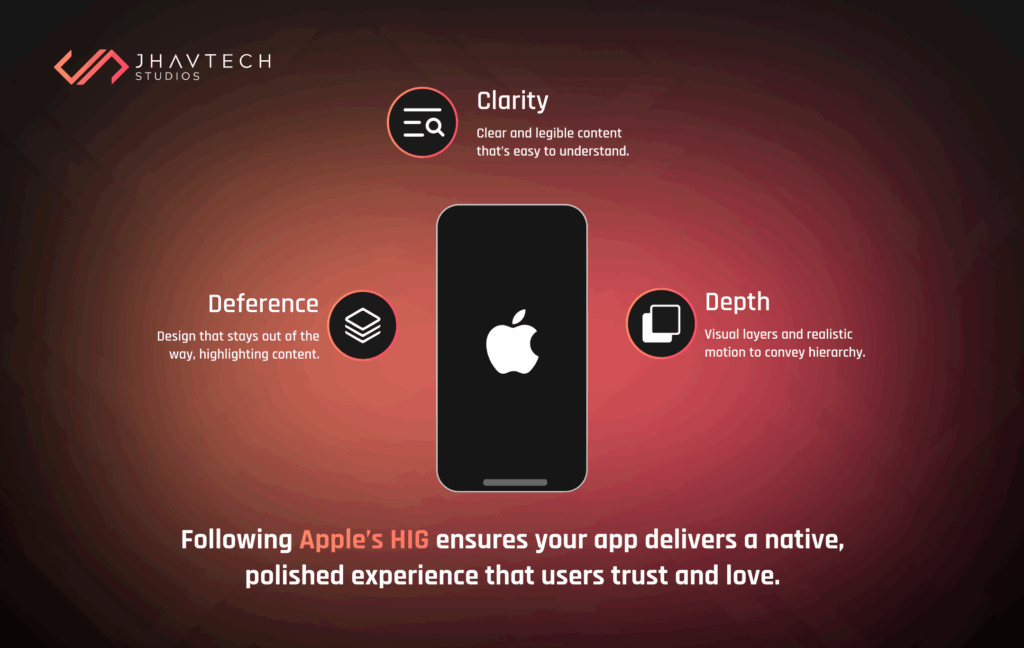
Apple’s Human Interface Guidelines (HIG) provide a playbook for great iOS app design. Following it ensures your app feels consistent with the iOS ecosystem—something users expect and trust. It also helps reduce the learning curve for new users, as they’ll immediately recognise familiar design patterns. Plus, apps that align with HIG are more likely to pass Apple’s App Store review process smoothly.
The three core principles are:
| Principle | Explaination |
| Clarity | Every element should serve a purpose and be easily understood |
| Deference | The interface supports not competes with your content, |
| Depth | Use motion, layering, and shadows to communicate hierarchy. |
By adhering to HIG, your app looks polished and feels native—making users more likely to stick with it. Our iOS Application Development Services are designed around these standards.
3. Onboarding That Actually Onboards
You have less than a minute to make a good impression. A study by Localytics found that apps with effective onboarding see a 50% increase in Day 1 retention. That’s why smart app developers treat onboarding as more than a formality—it’s the user’s first real interaction with your product. Done right, it builds confidence, reduces friction, and sets the stage for long-term engagement.
An effective onboarding flow should:
- Highlight core benefits in 2–3 screens.
- Use interactive elements (like tooltips or walkthroughs).
- Let users skip or delay account creation.
Example: Duolingo’s gamified onboarding introduces key features in under 60 seconds—no sign-up required. That’s smart iOS app design.
4. Consistent Navigation and Gestures
Consistency builds familiarity, which in turn builds trust. For UI/UX design, this means providing an intuitive experience where users don’t have to relearn how to use your app. iOS users expect:
- Standard gestures (swipe, pinch, tap).
- Unified navigation patterns across all screens.
- Call-to-action buttons placed in thumb-friendly zones.
These elements are fundamental to good user experience. Keeping the experience predictable means less confusion and fewer drop-offs, ultimately leading to higher user satisfaction and retention. Without this consistency, even a well-coded app can frustrate users, leading them to abandon it for a more predictable alternative.
5. Personalisation Enhances Engagement
Personalisation is no longer a bonus—it’s expected. According to Accenture, 91% of consumers are more likely to engage with brands that offer relevant user experiences. In today’s crowded app market, users quickly lose interest if the content or features don’t feel tailored to their needs. Effective personalisation creates a sense of connection and relevance, turning casual users into loyal advocates.
In iOS app design, this could mean:
- Showing location-based content
- Sending behavioural push notifications
- Recommending features based on user habits
⚠️ Just make sure your app is transparent about data usage. Explore how Apple supports privacy-friendly personalisation.
6. Feedback Loops and Microinteractions
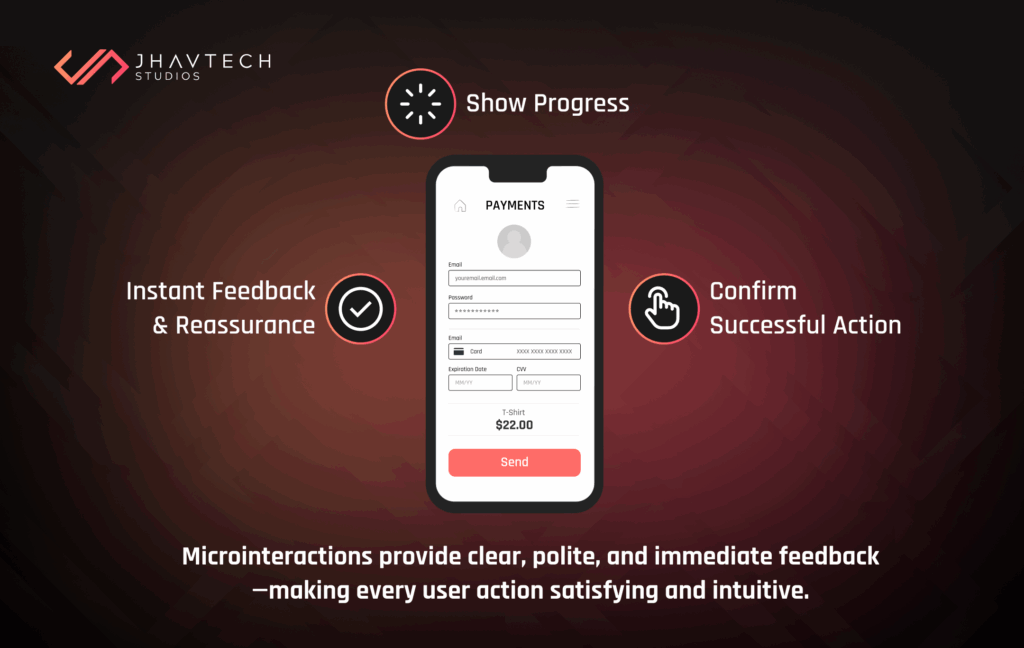
Tiny interactions can make or break how users feel about your app. In iOS app design, microinteractions—like a button bounce, a soft haptic buzz, or a loading spinner—serve as subtle yet powerful cues that reassure users their actions are working as intended. These feedback loops help reduce friction, boost confidence, and keep users engaged without overwhelming them.
They also provide clarity during errors or delays, making the app feel polished and responsive. Done right, microinteractions turn routine actions into satisfying experiences, increasing the likelihood that users will return.
Great iOS app design uses microinteractions to:
- Confirm successful actions
- Show errors clearly and politely
- Provide instant feedback on taps, drags, or swipes
Here’s a quick breakdown:
| Microinteraction | User Perfection |
| Button tap animation | “This app is responsive” |
| Loading spinner | “Something’s happening” |
| Haptic feedback | “I did that right.” |
| Success message | “I achieved that goal.” |
Don’t underestimate the power of small design details.
Microinteraction Examples in Real Apps
- Instagram: Double-tap “like” with a heart pop animation creates emotional reinforcement.
- Apple Pay: Subtle haptic + checkmark gives instant reassurance that payment was successful.
- Duolingo: Celebratory animations after completing a lesson build a gamified reward system.
7. Dark Mode and Accessibility Options
Designing for all users is good business—and just good design. Apple reports that over 100 million users globally rely on accessibility features to interact with their devices. That means inclusive design isn’t a niche feature—it’s a mainstream expectation.
Beyond meeting user needs, accessibility also improves retention by reducing frustration and making your app more comfortable to use across different environments and abilities. Features like Dark Mode not only reduce eye strain but also extend battery life, while tools like VoiceOver and Dynamic Type open up your app to a wider audience.
Make sure your app supports:
- Dark Mode
- VoiceOver
- Dynamic Type for adjustable text size
- High-contrast UI elements
Apps that prioritise accessibility perform better in both usability tests and App Store rankings. At Jhavtech Studios, accessibility isn’t an afterthought—it’s built into every phase of our iOS app design process, from wireframing to testing. Because a great app works for everyone, every time.
Ask Engine–Optimised FAQs
What are the key iOS app design principles for better user retention?
Focus on simplicity, clarity, consistency, and personalisation. Apps that are intuitive and user-centric tend to enjoy higher retention rates.
How does UI/UX impact app retention?
Poor UI/UX causes friction, which leads to abandonment. Great UI/UX encourages continued use, positive reviews, and more referrals.
Why should I follow Apple’s Human Interface Guidelines?
They’re designed to help your app look, feel, and behave like a native iOS app—instantly familiar and trustworthy to users.
How can onboarding increase user retention?
Onboarding that’s short, engaging, and benefit-focused helps users quickly understand your app’s value—boosting Day 1 and Week 1 retention.
What tools are best for iOS app design?
Popular design tools include Figma, Sketch, and Apple’s Interface Builder. At Jhavtech Studios, we prototype in Figma and build using Xcode for native iOS performance.
Final Thoughts…
The best iOS app design goes beyond aesthetics—it creates an experience that users love and return to time and again. Every tap, swipe, and interaction matters; thoughtful design transforms your app from just another download into an indispensable part of users’ daily lives.
By embracing Apple’s guidelines and these proven design principles, you don’t just attract users—you build lasting loyalty and drive meaningful engagement that fuels your app’s success.
At Jhavtech Studios, we combine creativity, strategic insight, and deep technical expertise to craft iOS apps that don’t just work—they captivate. Ready to turn your vision into an exceptional app that users can’t live without? Let’s make it happen. Contact us today!