.svg)
.svg)


Software Documentation: What Your Development Team Should Deliver Before Handover
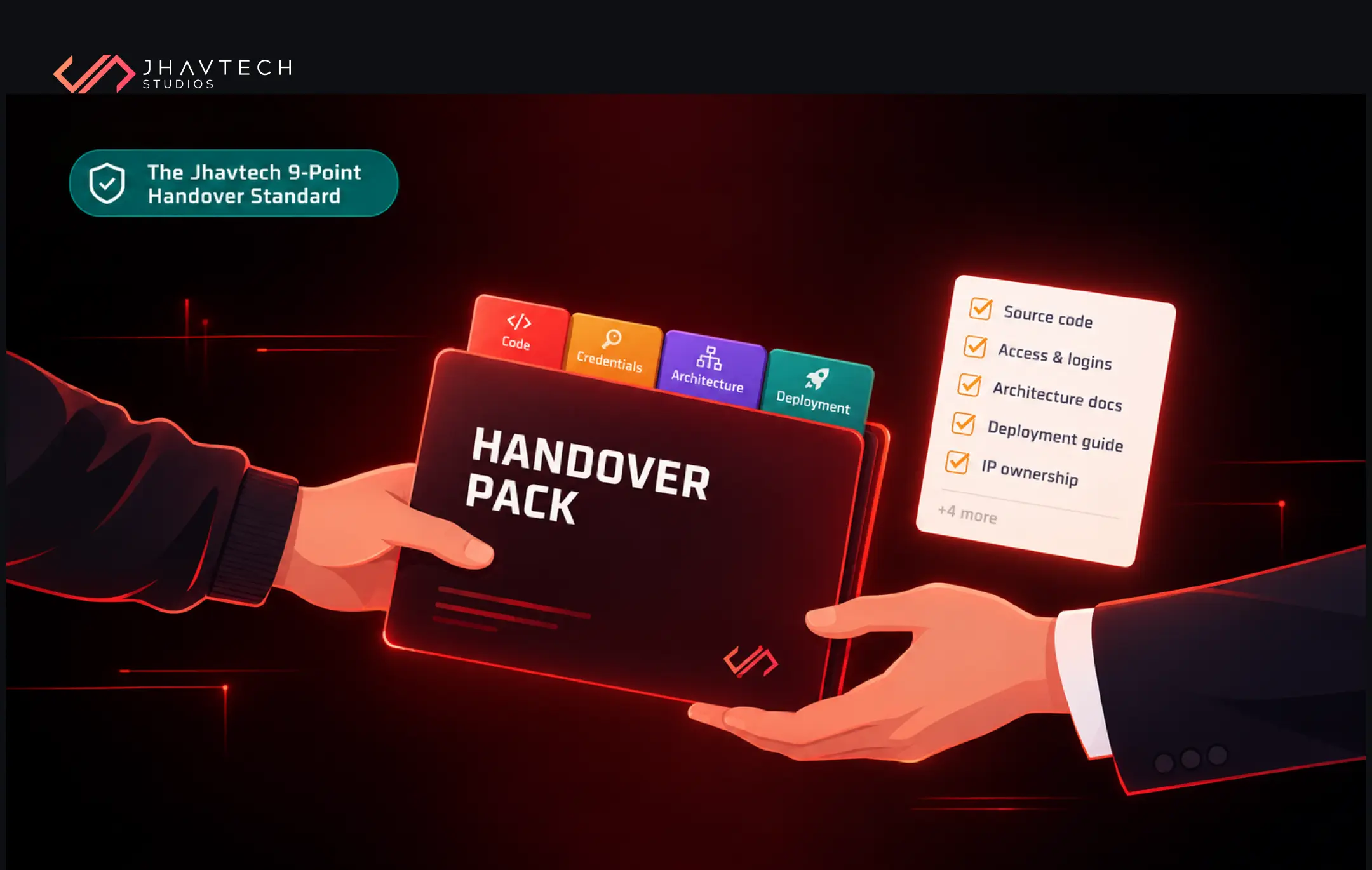
What should a development team deliver before handover?
The Short Answer: At minimum, you need the complete source code in a repository your company owns, a register of every credential and account, an architecture overview, step-by-step deployment instructions, environment and configuration notes, database documentation, a list of third-party services and their costs, and an honest log of known issues. Without these, a new team starts by doing detective work instead of building.
Who this is for: Founders, CEOs, operations leads and product owners at startups and SMEs whose developer is leaving, whose agency contract is ending, or who have just discovered they can't find the code or the passwords.
Key takeaway: Handover documentation is a deliverable, the same as a feature. Put it in the contract, check it before the final invoice, and test it by having someone who didn't write the code try to deploy it.
Why Software Handovers Go Wrong
Most handovers don't fail with a bang. They fail quietly, about three weeks after the old team has gone.
A new developer goes to push a small bug fix and discovers the production server is running on a cloud account billed to the previous agency's credit card. Or the iOS app can't be updated because the Apple Developer account was set up under the freelancer's personal Apple ID. Or someone finds the code but nobody knows which of the four branches is the live one.
If you've landed on this page, chances are one of these sounds familiar:
- Your lead developer has resigned and their last day is close
- Your agency relationship is ending, amicably or otherwise
- You've asked for the source code and received a zip file, or nothing at all
- Nobody can find the admin passwords, API keys or hosting logins
- The system works, but no one can explain how the parts connect
- There are no written instructions for getting a change from a laptop into production
Each of these is fixable. Some are cheap to fix now and very expensive to fix later.
The cost is real even when nothing breaks. Stack Overflow's 2024 Developer Survey found that 61% of respondents spend over half an hour everyday hunting for answers or solutions to problems. Now picture a developer inheriting a system with no documentation at all. That half hour becomes half a week.
What Is Software Handover Documentation?
Software handover documentation is defined as the complete set of source code, access credentials and written technical records that allows a new developer or team to operate, maintain and extend a software system without relying on the people who originally built it. It covers three things: what you own (code, accounts, data), how it works (architecture, integrations, logic), and how to operate it (deployment, monitoring, recovery).
It's a subset of broader technical documentation. User guides and marketing copy matter, but they won't help an engineer restore a crashed database at 11pm on a Friday.
Good documentation pays off well beyond handover day. Research from DORA, Google Cloud's long-running DevOps research programme, has found a clear link between the quality of internal documentation and an organisation's ability to hit its performance and profitability goals. Its 2023 findings went further, showing that quality documentation amplifies the impact of other technical capabilities.
The Jhavtech 9-Point Handover Standard: What Your Team Should Deliver
Over years of taking over projects from departing developers and outgoing agencies, our engineers kept seeing the same gaps. The Jhavtech 9-Point Handover Standard is the result: nine deliverables that, together, give a business full ownership and control of its software. If any one of them is missing, the handover isn't finished.
1. Complete Source Code in a Repository You Own
Not a zip file. Not a Google Drive link. The full Git history in a GitHub, GitLab or Bitbucket organisation registered to your company, with you as the owner.
The history matters more than people think. It shows who changed what and why, which is often the only clue to why a strange piece of logic exists. Ask for every repository too: web front end, mobile apps, back end, admin panel, any scripts or infrastructure code. Agencies sometimes keep shared libraries in their own private repos, which means your app can't be built without them.
2. A Credentials and Access Register
This is where most handovers fall apart. You need a single list of every account the system touches, including:
- Cloud hosting (AWS, Azure, Google Cloud, DigitalOcean)
- Domain registrar and DNS
- Apple Developer and Google Play Console accounts
- Email delivery, SMS and payment gateways
- Analytics, error tracking and monitoring tools
- Database admin logins and API keys
Every account should be owned by a company email address (think tech@yourbusiness.com.au, not a developer's Gmail), and credentials should sit in a proper password manager or secrets vault. Once the handover is done, rotate every password and key. Former contractors shouldn't retain working access; however much you trust them.
This isn't just housekeeping. ASD's 2024-25 Annual Cyber Threat Report found the average self-reported cost of cybercrime for small businesses climbed 14 percent to $56,600 per report, with more than 84,700 reports received, roughly one every six minutes. Orphaned logins are an open door.
3. An Architecture Overview
A new developer should be able to look at one diagram and answer: what are the main components, where do they run, and how does data move between them?
It doesn't need to be a 60-page tome. A single diagram plus two or three pages explaining the tech stack, the reasoning behind key decisions and any unusual patterns is plenty. The "why" is gold. Knowing that the team chose a queue system because the payment provider times out under load will stop someone simplifying it and breaking checkout. (If you're rethinking the structure anyway, our guide on choosing the right software architecture for a growing business is a good companion read.)
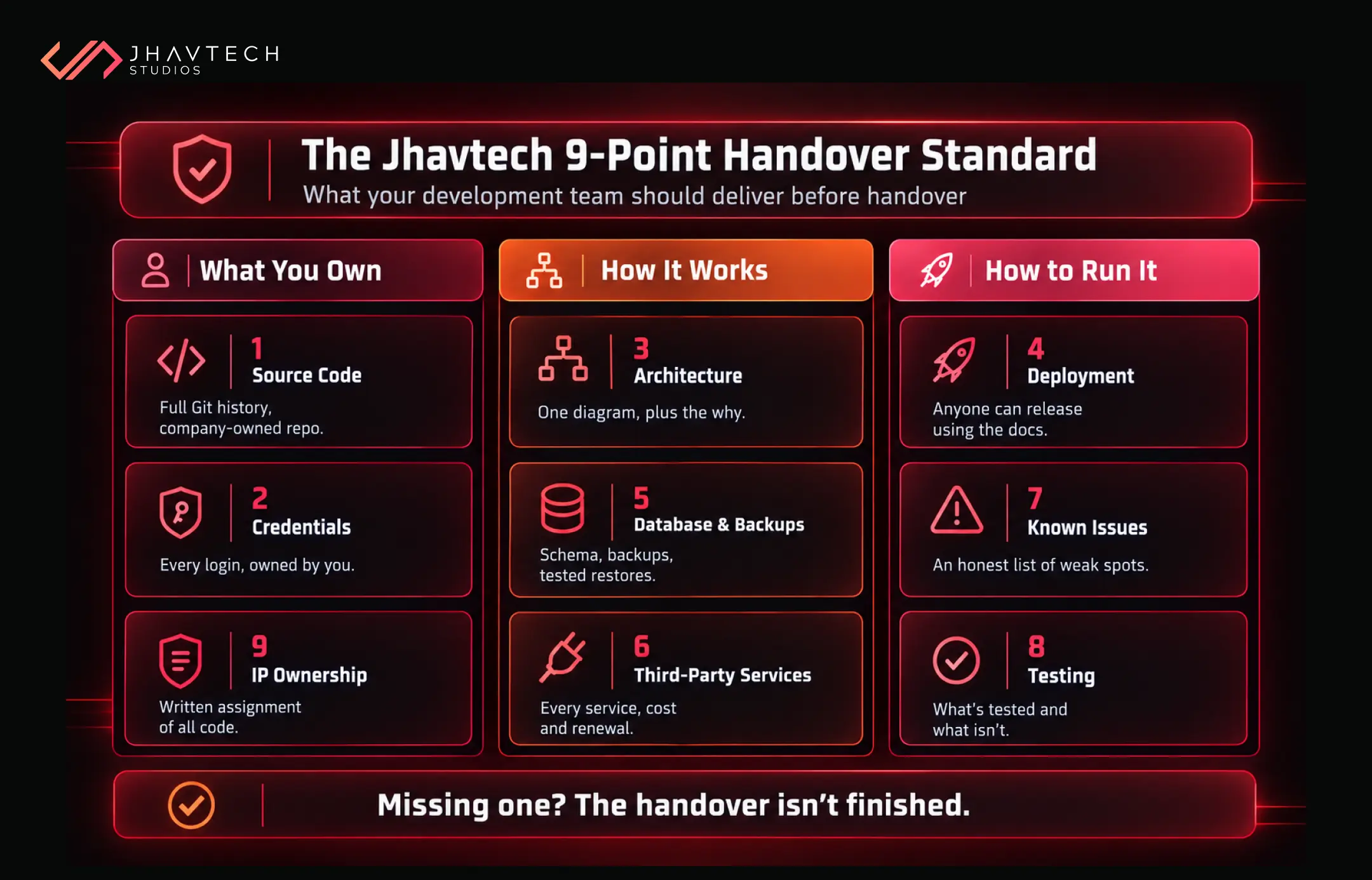
4. Deployment and Environment Instructions
Here's a simple test: can someone who has never touched the project take the code and get it running in production using only the written instructions? If the answer is "probably not", the deployment docs aren't finished.
They should cover local setup, the difference between development, staging and production, how CI/CD pipelines are triggered, where environment variables live (without pasting secrets into the doc), and how to roll back a bad release.
5. Database Documentation and Backups
You want a schema overview, an explanation of the main tables and relationships, how migrations are run, where backups are stored, how often they happen, and when anyone last tested restoring one. That last question makes plenty of teams go quiet.
6. Third-Party Services, Licences and Running Costs
Modern apps lean on a dozen outside services. Your handover pack should list each one, what it does, what plan you're on, what it costs per month, and when it renews. We've seen businesses lose a feature overnight because a free-tier API quota ran out and nobody knew the service existed.
7. Known Issues and Technical Debt
Every system has skeletons. A good team will tell you where they are: the bug that shows up on older Android devices, the report that times out with more than 10,000 records, the library that's two major versions behind. An honest known-issues log is a sign of a professional team. A handover claiming "no known issues" is a sign you should look harder.
8. Testing and Quality Notes
What automated tests exist, how to run them, and what they don't cover. Tests act as a safety net for your new team, flagging within minutes whether a change to one feature has quietly broken another, such as a tweak to user profiles that stops password resets from sending. If there are no tests, you need to know that before you start changing anything.
9. Intellectual Property Confirmation
In Australia, code written by an external contractor doesn't automatically belong to the business that paid for it. Ownership generally depends on what the contract says. Get a written assignment of IP that covers all code, designs, and assets. This is general information, not legal advice, so have a lawyer check your agreement.
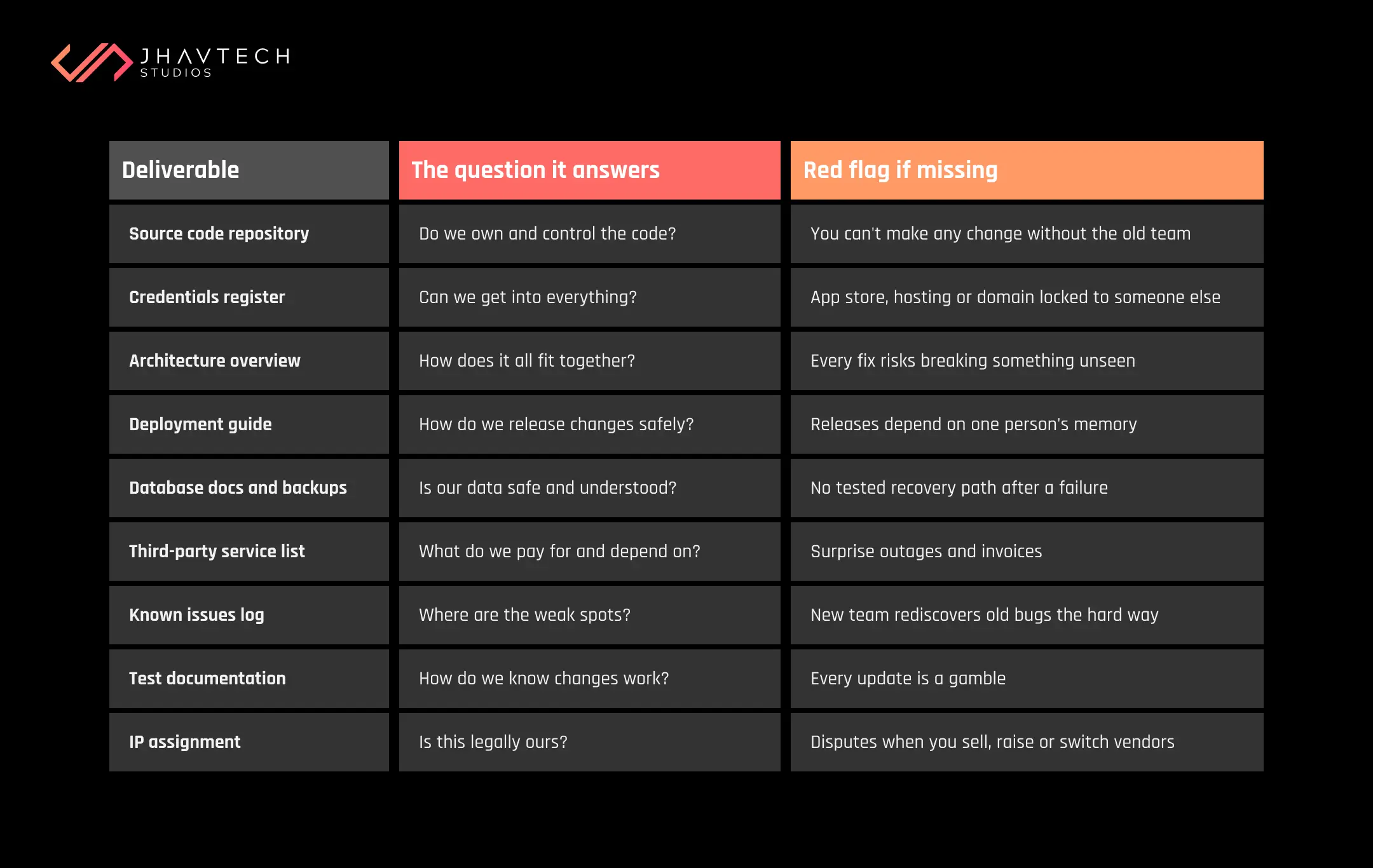
Handover Documents at a Glance
If you only have five minutes before a meeting with your outgoing developer or agency, start here. The table below boils each point of the Jhavtech 9-Point Handover Standard down to the business question it answers and the warning sign that tells you it's missing. Each item protects a different part of your business, from legal ownership of the code to your ability to push a security patch the day a vulnerability is announced. Use it as a quick gap check: any row you can't confidently tick off is a conversation you need to have before the final invoice is paid.
The Developer Handover Checklist: Putting the 9-Point Standard into Practice
This checklist turns the Jhavtech 9-Point Handover Standard into tick-box actions. Print it, share it with your outgoing team, and don't sign off until every box is ticked.
Code and ownership
☐ All repositories transferred to a company-owned organisation, with full commit history
☐ Any private shared libraries or dependencies included
☐ Written IP assignment signed
Access and security
☐ Credentials register completed and stored in a company password manager
☐ Domain, hosting, app store and payment accounts owned by company email addresses
☐ All passwords, API keys and tokens rotated after handover
☐ Former team members removed from every system
Knowledge
☐ Architecture diagram and written overview
☐ Deployment guide tested by someone outside the original team
☐ Environment configuration documented (secrets excluded)
☐ Database schema, migration process and backup schedule documented
☐ Last successful backup restore date recorded
☐ Third-party services list with costs and renewal dates
☐ Known issues and technical debt log
Transition
☐ At least one recorded walkthrough session with the incoming team
☐ Agreed window (say, 30 days) for follow-up questions
What If the Handover Has Already Gone Wrong?
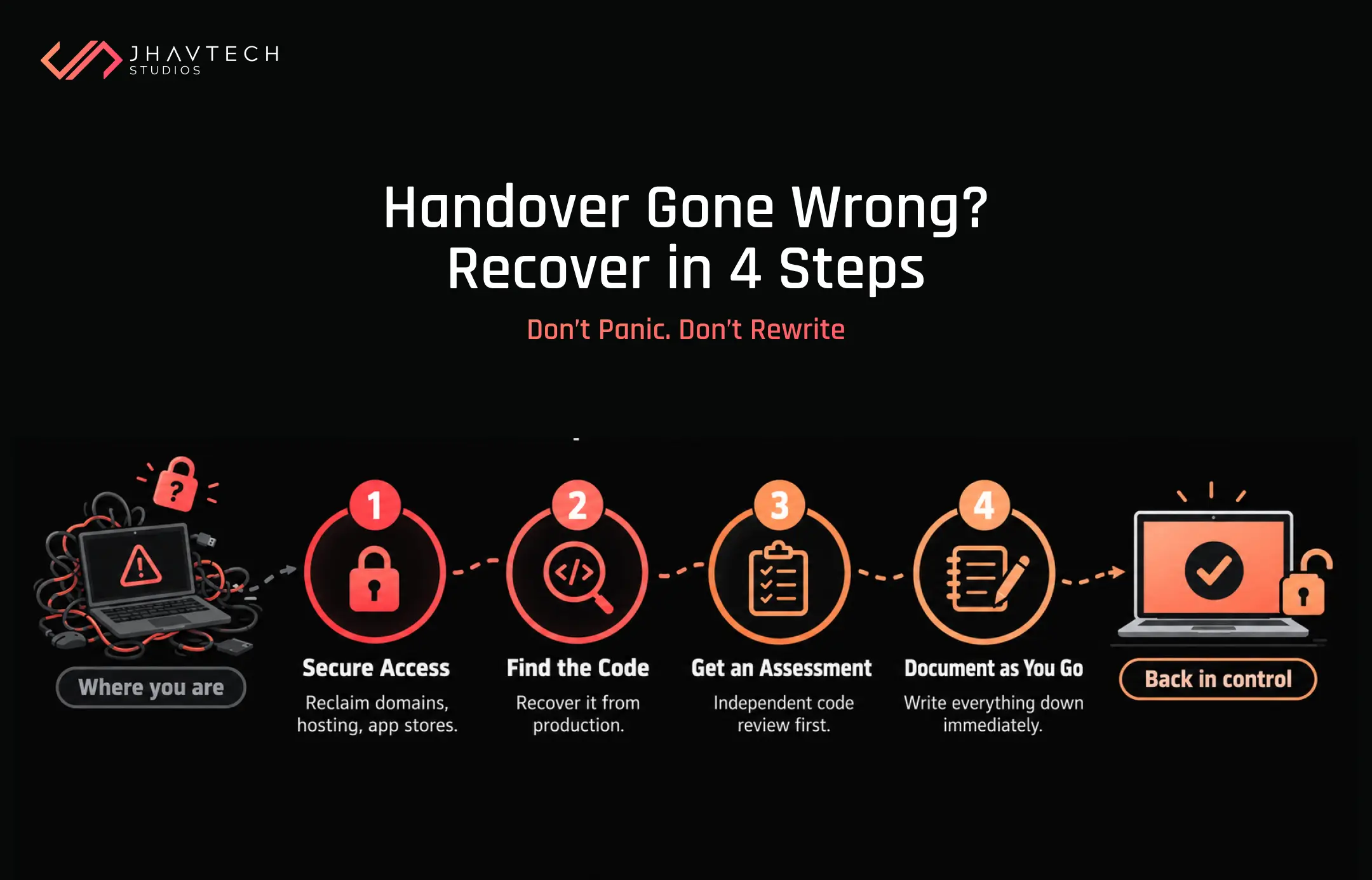
Sometimes the checklist comes too late. The developer has left, the agency isn't replying, and you're staring at a live system nobody understands. Don't panic, and don't start rewriting.
Work through it in this order:
Secure access first. Contact your domain registrar, cloud provider and app stores directly. As the business owner, you can usually recover accounts with proof of identity and billing records. It's slow, but it works.
Find the code. If you have server access, the deployed code is often recoverable from production, even if the repository isn't. It won't have history, but it's a start.
Get an independent assessment. Before committing to a new team or a rebuild, have someone review what you have. A free code review will tell you whether the codebase is worth building on, what's risky, and what's missing.
Document as you go. Every account recovered and every system mapped should be written down immediately, so you never land here twice.
If the project is half-finished or the previous team walked away mid-build, you may need to bring a stalled or abandoned build back under control before any new features get added. For older systems that need moving without taking the business offline, our guide on migrating an old application without disrupting your business walks through the approach step by step.
Build the Handover into the Contract from Day One
The cheapest handover is the one you plan before a single line of code is written.
When you engage a developer or agency, write documentation into the scope of work as a named deliverable with acceptance criteria. Require that repositories and accounts are created under your company from the start rather than transferred at the end. Ask for documentation to be updated each sprint, not crammed into the final week when everyone's already mentally moved on.
It also helps to ask a simple question during the sales process: "What does your handover pack look like?" A good agency will show you one. A hesitant answer tells you plenty.
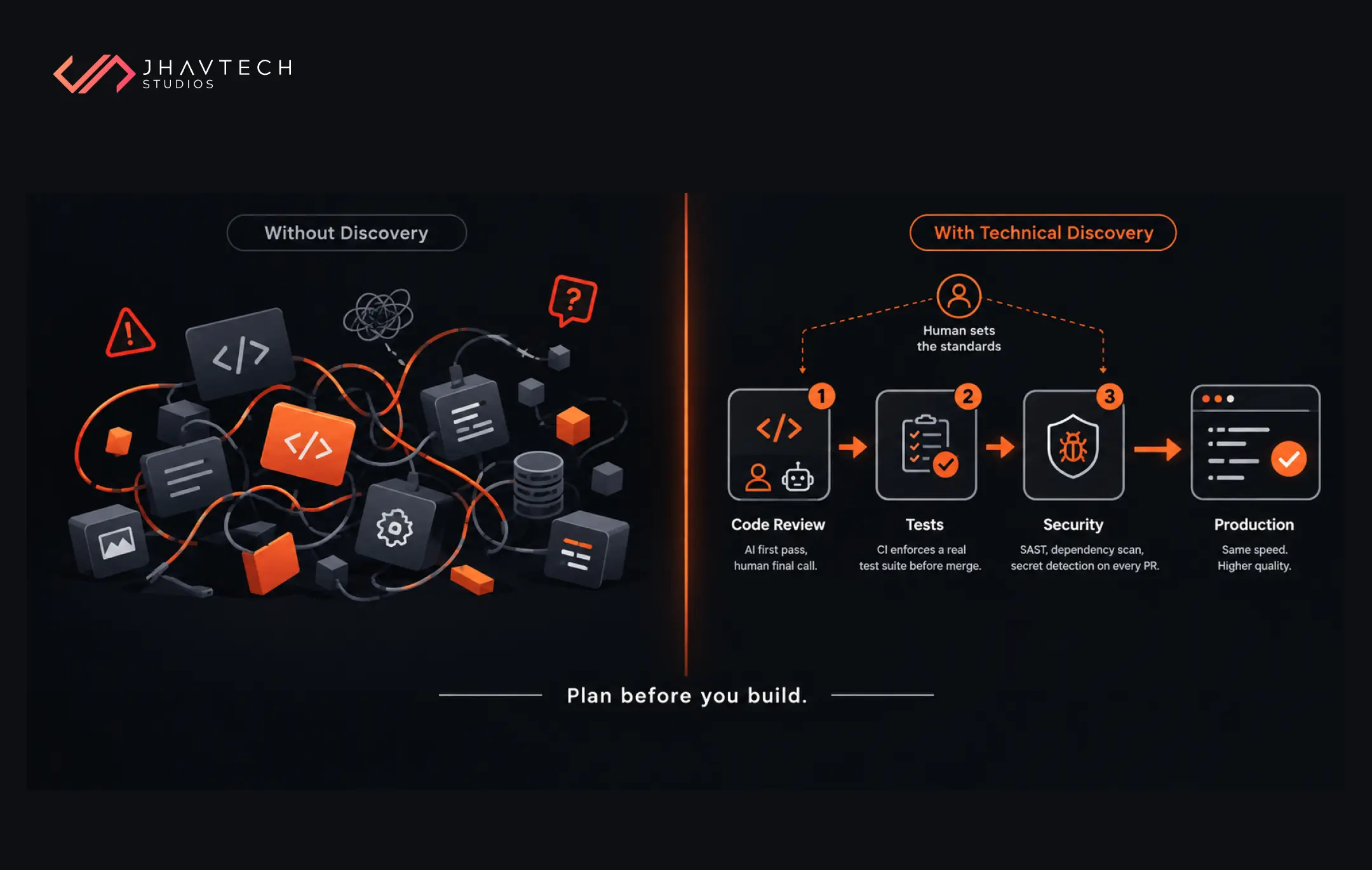
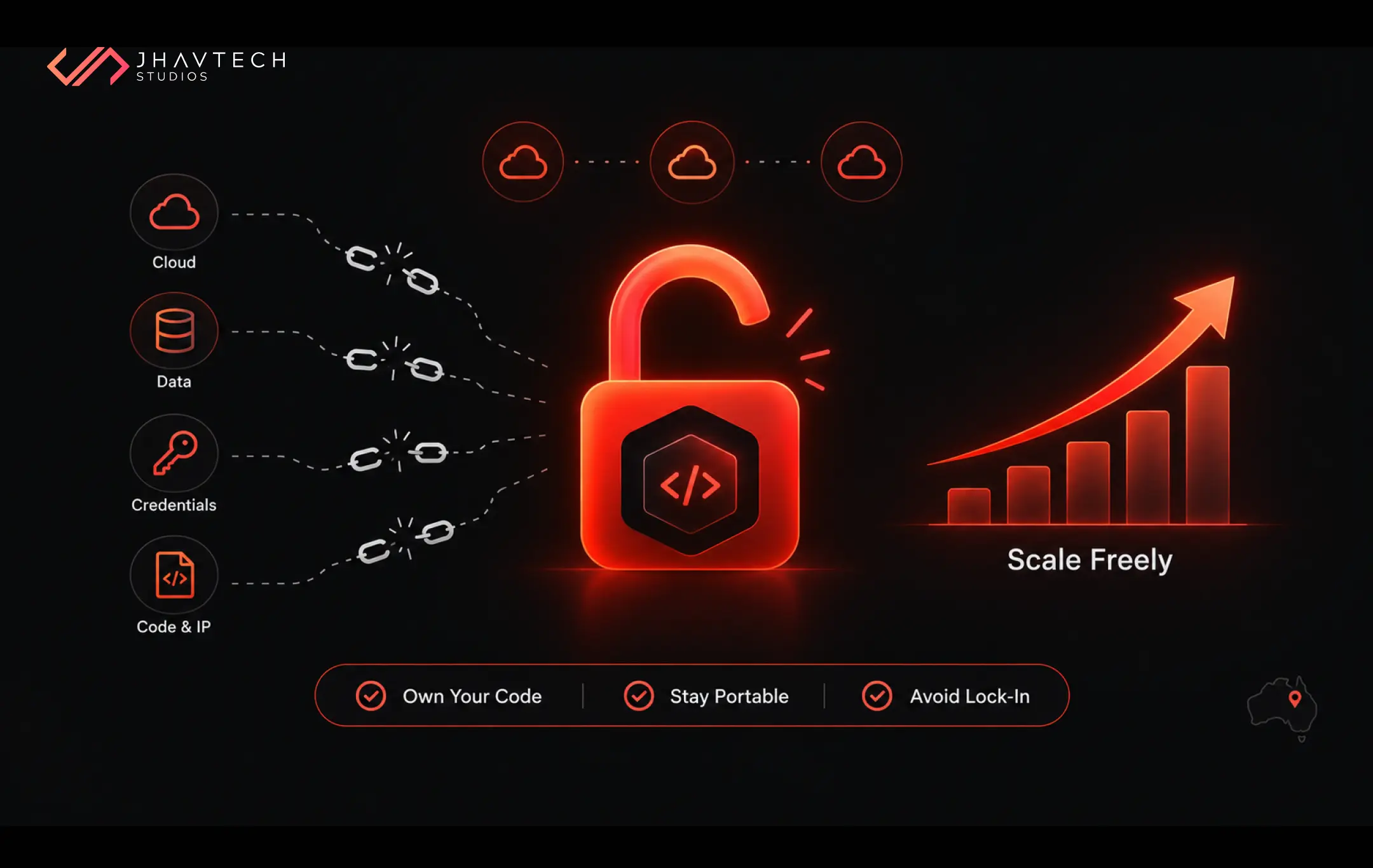
Two earlier pieces go deeper on this. Our article on preventing vendor lock-in with custom software covers the contract clauses worth fighting for, and our explainer on running a technical discovery phase before development shows how to set documentation expectations before the budget is locked in.
And if you're about to commission an app, it pays to work with a team that builds mobile apps with the handover planned from week one. You'll never need this checklist in a panic.
Frequently Asked Questions


.png)
.png)







.png)
.png)
.png)
.png)