.svg)
.svg)


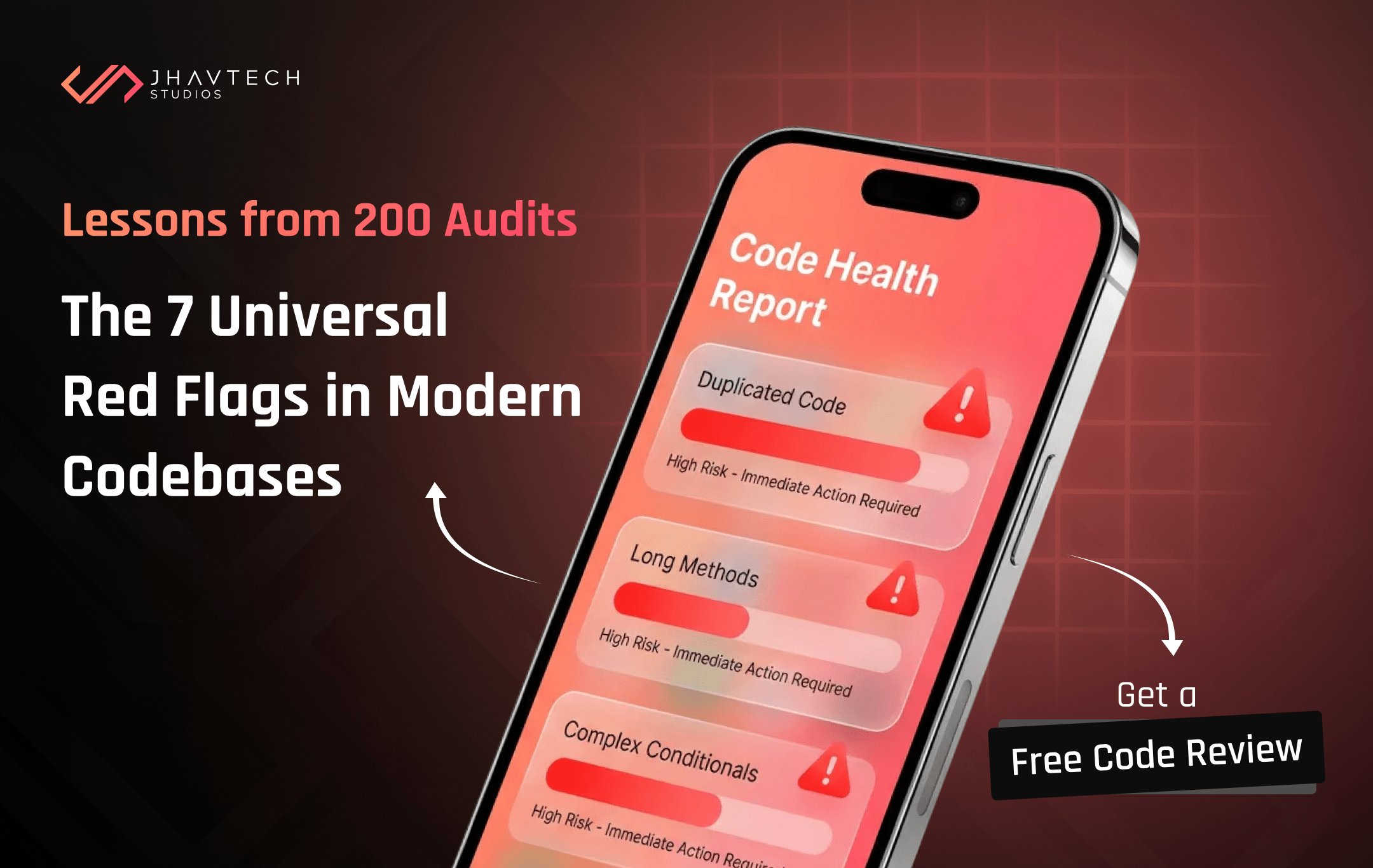
Ever had that sinking feeling that your mobile app project, or even a critical piece of your existing software, just isn’t right? Maybe it’s slow, buggy, or incredibly difficult to add new features to. You’re not alone. At Jhavtech Studios, our team conducts countless in-depth analyses. We recently performed an app code review for over 200 applications across various industries, from fledgling startups to established enterprises. What we found was startlingly consistent.
It turns out that beneath the surface of many struggling applications lie common structural and stylistic problems. We call them code smells. Just like a peculiar odor in your home hints at a deeper issue (a leaky pipe, perhaps?), these code smells are indicators of underlying design problems or technical debt that will inevitably lead to headaches, delays, and ballooning costs.
This isn’t just about pretty code; it’s about maintainability, scalability, and ultimately, your business’s bottom line. In fact, a recent study by Stripe found that developers spend on average 17 hours a week dealing with technical debt and maintenance, rather than building new features. That’s nearly half their work week! An effective app code review can flag these issues early, saving significant resources down the line.
We’re here to pull back the curtain and share our insights. Here are the 7 most pervasive code smells we encountered repeatedly across those 200 apps, alongside practical advice on how to address them.
The 7 Code Smells That Plague Mobile Apps and Software Projects
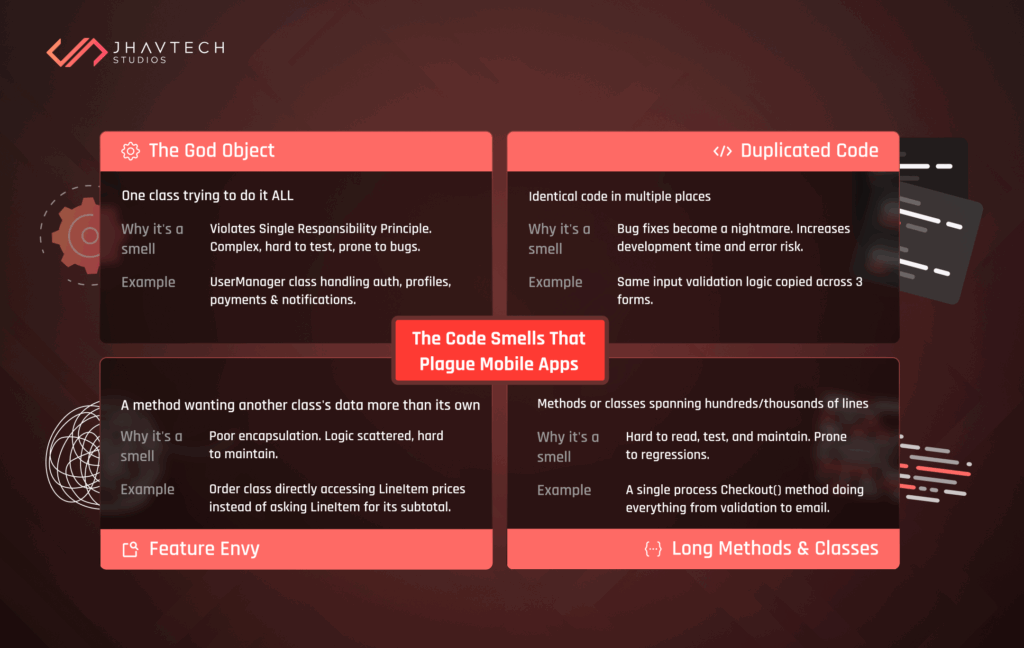
1. The God Object
Imagine a single class or module that knows and does everything. It’s responsible for data retrieval, business logic, UI updates, error handling—you name it. This is a “God Object.”
Why it’s a smell: It violates the Single Responsibility Principle, making the code incredibly complex, difficult to test, and prone to bugs. Any change in one part of the system might unexpectedly break something else connected to the God Object. During our app code review, identifying these behemoths is a high priority because they often signal a complete architectural breakdown.
Example: A UserManager class that not only handles user authentication but also manages user profiles, processes payments, sends notifications, and interacts directly with the database.
2. Duplicated Code
This one is fairly straightforward: identical or very similar blocks of code appearing in multiple places. It’s often born out of copy-pasting to meet deadlines or a lack of understanding of reusable components.
Why it’s a smell: Every time you need to fix a bug or update a feature in that code, you have to find all instances and apply the change everywhere. Miss just one, and you’ve introduced an inconsistency or a new bug. This significantly increases development time and the risk of errors. Addressing duplicated code is a key part of code refactoring.
Example: The same validation logic for user input copied into three different forms across an application.
3. Feature Envy
A method that seems more interested in another class’s data than its own. It’s constantly calling methods from another object to get data and then performing operations on that data.
Why it’s a smell: This indicates that the method might be in the wrong place. It’s an indicator of poor encapsulation and can make the code hard to understand and maintain, as logic is scattered across different parts of the system without a clear home. A thorough app code review helps pinpoint these misplaced functionalities.
Example: A method within an Order class that calculates the total price by directly accessing and summing individual LineItem prices, rather than asking the LineItem objects to provide their subtotal.
4. Long Methods and Classes
Just as the name suggests, these are methods or classes that span hundreds, sometimes thousands, of lines of code. They try to do too much.
Why it’s a smell: Like God Objects, they are hard to read, understand, test, and maintain. They often contain multiple responsibilities and complex logic, making it easy to introduce regressions when changes are made. Our app code review process often flags these as critical areas needing immediate attention.
Example: A single processCheckout() method that handles everything from validating user input, updating inventory, processing payment, sending confirmation emails, and logging the transaction.
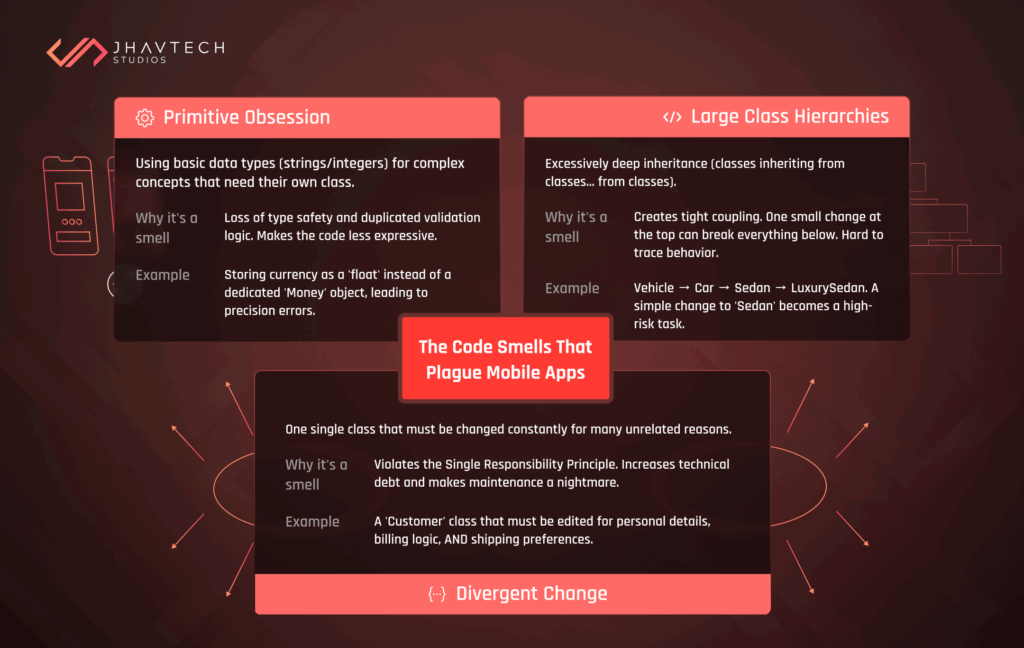
This occurs when developers use primitive data types (like strings, integers, floats) to represent concepts that deserve their own dedicated classes. For instance, using a string for an email address instead of an EmailAddress object that can encapsulate validation logic.
Why it’s a smell: It loses type safety, meaning the compiler can’t help catch errors where an invalid string is passed as an email. It also leads to duplicated validation logic (e.g., validating an email string in multiple places) and makes the code less expressive. This frequently crops up in applications lacking strong UI/UX design principles at the code level.
Example: Storing currency amounts as simple float or double types, which can lead to precision issues, instead of using a dedicated Money or Currency object.
6. Large Class Hierarchies (Too Deep Inheritance)
While inheritance is a fundamental concept in object-oriented programming, creating excessively deep inheritance hierarchies (classes inheriting from classes, which inherit from classes, and so on) can become problematic.
Why it it’s a smell: It creates tight coupling. A change at a higher level in the hierarchy can have unexpected and far-reaching impacts on many subclasses, making the system fragile. It also makes it harder to understand the behavior of a given object without tracing its entire ancestry. During an app code review, we often recommend favoring composition over inheritance in many scenarios.
Example: A Vehicle class, from which Car inherits, then Sedan inherits from Car, and then LuxurySedan inherits from Sedan. Adding a new type of vehicle or changing behavior for sedans becomes a complex task.
7. Divergent Change
This smell occurs when a single class has to be changed in many different ways for different reasons. Essentially, one change means you have to modify several methods in that class.
Why it’s a smell: It violates the Single Responsibility Principle, meaning the class has too many reasons to change. This makes maintenance a nightmare and increases the likelihood of introducing bugs. When we do an app code review, finding classes that are constantly being tweaked for unrelated reasons is a red flag. This contributes significantly to technical debt.
Example: A Customer class that needs modifications when customer details change, when billing logic changes, and when shipping preferences change. These are three distinct reasons to modify the class.
Why You Can’t Afford to Ignore Code Smells
Ignoring these smells is akin to ignoring small cracks in a foundation; eventually, the entire structure is compromised. The immediate result is slower development cycles, increased bugs, and a demoralised team. For businesses, this translates to missed market opportunities, budget overruns, and a poor user experience. This is often where a software project rescue becomes necessary.
Understanding how to identify bad code in mobile apps is the first step toward building resilient, scalable, and high-performing applications. It’s not about perfection; it’s about pragmatism and ensuring your codebase supports your business goals rather than hindering them.
At Jhavtech Studios, our IT consulting approach emphasizes not just identifying these issues but also providing actionable DevOps solutions and clear pathways for remediation. We believe in proactive measures to avoid larger, more costly problems down the line.
Our “We Reviewed 200 Apps” Takeaway
The common thread weaving through these 7 code smells is complexity and a lack of clear architectural intent. Whether it’s a simple mobile app development project or a large-scale enterprise system, code quality dictates success. An independent app code review offers an objective look at your codebase, providing critical insights that internal teams, often under pressure, might overlook.
If you suspect your app might be suffering from some of these code smells, or you’re looking to ensure your next project starts on solid footing, don’t wait for a crisis. For those actively searching for professional code review services for startups or established businesses, Jhavtech Studios offers a Free Code Review. It’s a risk-free way to gain clarity on your app’s health and discover hidden challenges and opportunities for improvement.
Let’s ensure your app’s future is built on clean, robust code, not lingering smells.